Journal Voucher (JV)
Journal Voucher Module - User Guide
1. Introduction 📝
The Journal Voucher (JV) module is the primary tool for recording non-cash/bank accounting adjustments. It allows for the transfer of values between different ledger accounts, correction of entry errors, and settlement of outstanding invoices (SI) or bills (PB) without direct monetary movement.
ℹ️
In the overall business flow:
- Facilitates Debit/Credit adjustments across multiple accounts.
- Supports Circular Settlements (e.g., settling an Export customer’s balance against their Import vendor account).
- Maintains stringent Audit Trail standards for all corporate governance compliance.
Typically, this module is used by Senior Accountants, Finance Controllers, and Auditors.
2. Getting Started with Journal Voucher 🚀
Accessing the Module
Navigate to the Journal Voucher Index. The index provides a bird’s-eye view of all adjustments made within the selected financial year.
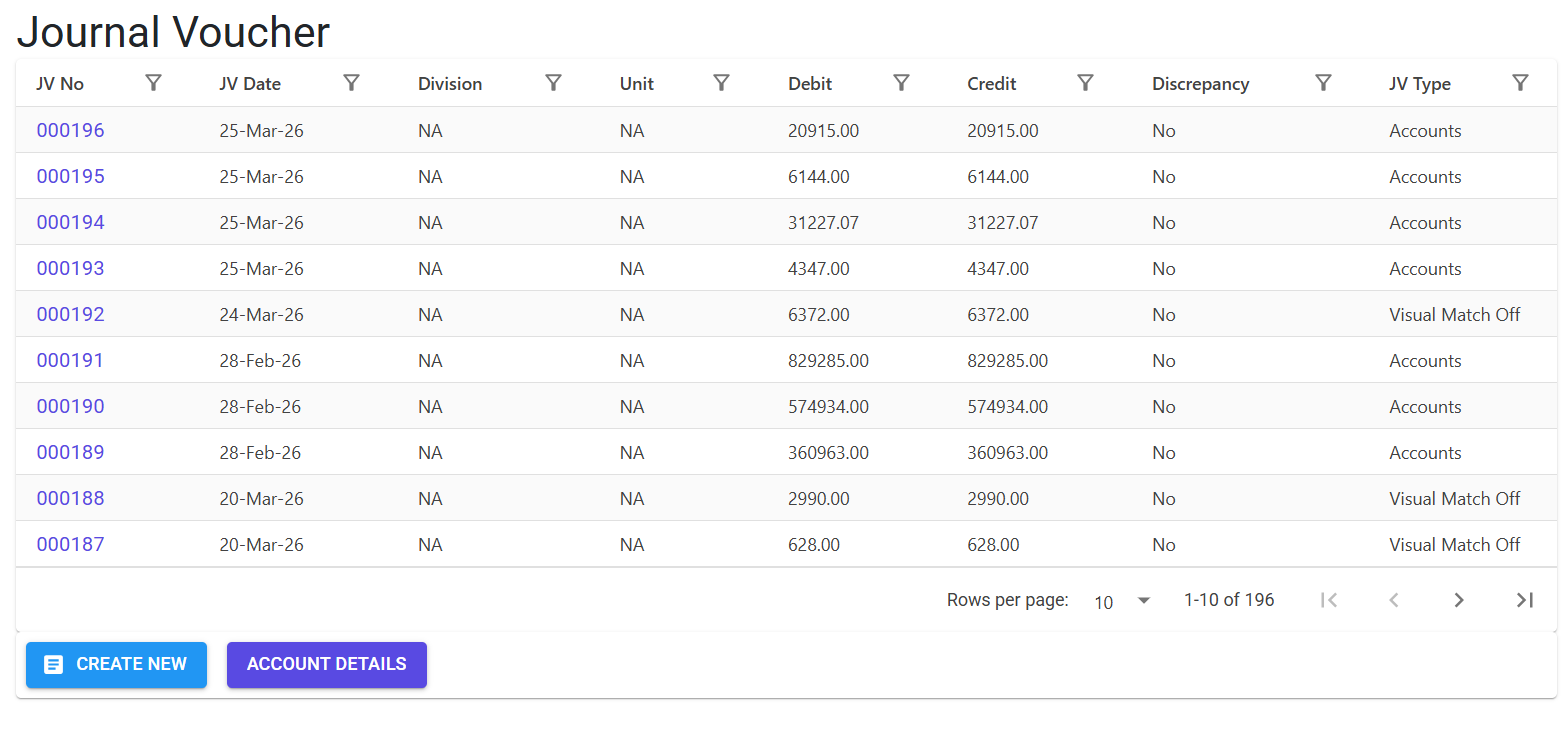
Core Structure
- JV Header: Captures the Voucher No, Date, Division, and Currency.
- JV Lines: The multi-line entry system where you define the Debit (Dr) and Credit (Cr) legs of the transaction.
- MIS-JV Interface: A specialized mode for simplified entry using MIS Names rather than complex Chart of Account (CoA) codes.
3. Features & Benefits ✨
🔄 Versatile Settlement Engine
- Multi-Doc Linking: Settle balances across different document types (SI for Sales, PB for Purchase, OA for Opening Assets, AD for Advance).
- Auto-Amount Fetching: When a reference doc is selected, the system automatically pulls the current Due Amount, reducing manual entry errors.
- Automatic Dr/Cr Assignment: The system intelligently assigns the Debit or Credit status based on the document type (e.g., selecting SI automatically assigns a ‘Credit’ to reduce the customer’s asset).
📤 Bulk Operations
- Advanced Excel Import: Supports complex multi-line imports with dedicated error codes (Z1–Z7) and secondary business logic validation (A–U) to ensure the import doesn’t break accounting integrity.
- Narration Copying: Use the IsCopyNotes toggle to quickly duplicate narrations from the previous line, significantly speeding up long-form journal entries.
🛡️ Compliance & Safety
- Audit Trail Integration: Integrates with the Audit Trail Controller to detect and log the exact field-level changes during any modification.
- Log Tracking: Records every JV creation, deletion, or line-level change in the
MFGLog.
4. Complete Flow 🔄
Initialize JV Header
- System assigns the unique JvNo and YearJvNo.
- Define the Dated (transaction date) and the appropriate Division.
Add Account Lines
- Ref Doc selection: Choose between GL (General Ledger), SI, PB, OA, or AD.
- Account Selection: Search by Account Code or MIS Name.
- Ref No/Date: For SI/PB, provide the document reference.
- Define Amount: Enter the Debit or Credit value. The system maintains a running delta to ensure the document eventually balances.
Balancing & Finalization
- The system checks if Total Debit = Total Credit.
- Once balanced and authorized, the JV updates the respective ledger balances.
- Generate a professional QuestPDF JV Print for physical filing.
5. Validations and Logic ⚠️
Header-Level Validations
- Active Year Safety: New JVs can only be created in the active financial year unless specific overrides are enabled.
- PDC Prefix Protection: The system prevents manual creation of vouchers that overlap with the
PDCorJVreserved numbering series.
Line-Level Validations
- General Ledger (GL) Rules:
Notes(Narration) is mandatory for all GL lines.- Previous narration must exist if
IsCopyNotesis toggled.
- Reference Integrity:
- Ref Date cannot be later than the JV Date.
- Reference docs must be Authorized (for PB) and Active (not cancelled for SI).
- Due Amount Guard: For SI/PB settlements, the settlement amount cannot mismatch the actual due amount on the document (Validation Codes R & S).
- Amount Logic: Every line must have an amount greater than 0.
6. Related Reports 📊
- 📑 Journal Voucher Slip: Professional printout including all debits, credits, and legal narrations.
- 📒 Journal Register Report: Chronological summary of all journals for a selected period.
- 🔍 Audit Trail Detailed View: Displays “Old Values” vs “New Values” for forensic accounting of corrections.
7. Best Practices / Tips 💡
- MIS Name over Account Codes: Use MIS Names for frequent entries (like Bank Charges or Salaries) to make searches faster and reduce coding errors.
- Import Template: Always download the latest Download Model (template) before importing, as the system strictly validates the 9-column structure.
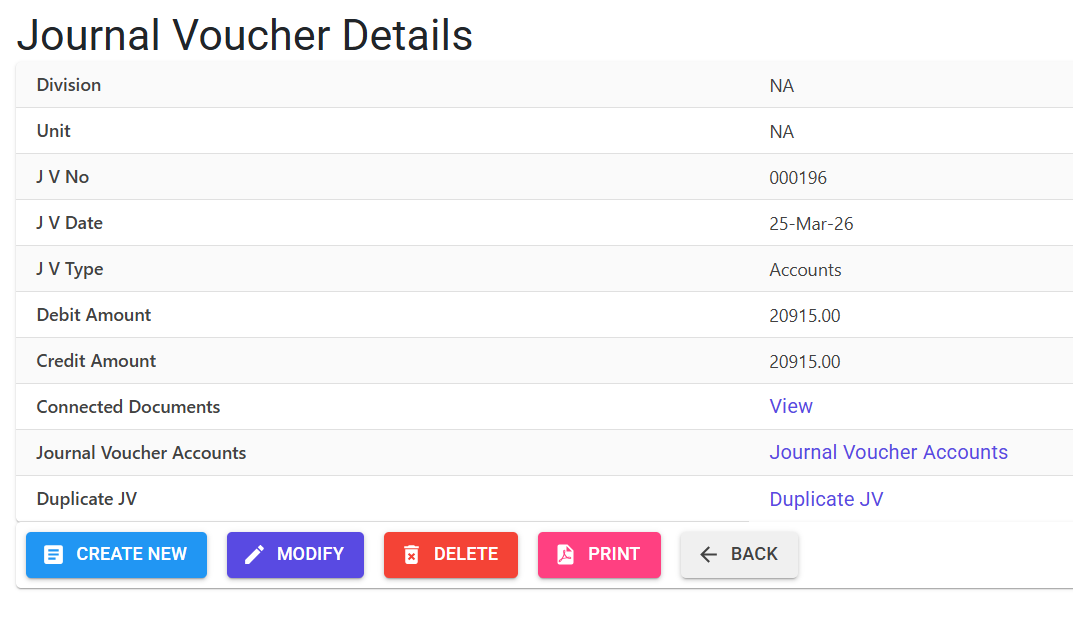
- Duplicate JV: For monthly salary or depreciation journals, use the Duplicate JV feature. The system will handle the date increments and new numbering while keeping your account mappings intact.