Voucher (Payments & Receipts)
Voucher Module - User Guide
ℹ️
⚡ Quick Start: 3-Minute Fast Track
For accountants who need to log a payment or receipt quickly:
- Header: Click Create New, select Receipt (R) or Payment (P), and pick your Bank/Cash account.
- Settlement: Select the Party, then pick the specific Invoice (SI) or Bill (PB) to settle.
- Amount: Enter the Amount (the system will show the current due balance).
- Finalize: Add a Voucher Note and Save. The party ledger is updated instantly.
🗺️ Process Flow: Transaction to Reconciliation
graph LR
    Doc[Invoice/Bill] --> Voucher[Voucher Entry]
    Voucher --> Settle[Reference Settlement]
    Settle --> Bank[Bank Book Update]
    Bank --> Reco[Bank Reconciliation]

    style Voucher fill:#f9f,stroke:#333,stroke-width:2px
✅ Prerequisites Checklist
Before creating a voucher, ensure:
- Chart of Accounts: The Bank or Cash account must be defined.
- Party Ledger: The customer or vendor must have an outstanding balance.
- Reference Document: The Sales Invoice or Purchase Bill must exist.
- Audit Trail: If editing, ensure you have a valid reason for the audit note.
1. Introduction 📝
The Voucher module is the central hub for all financial inflows and outflows. It captures cash and bank transactions, enabling precise settlement against Sales Invoices (Receipts) or Purchase Bills (Payments).
ℹ️
In the overall business flow:
- Records Payments (P) to vendors and Receipts (R) from customers.
- Settles outstanding balances against previous document references (SI/PB).
- Maintains a strict Audit Trail for every modification or deletion.
Typically, this module is used by Accountants, Finance Managers, and Cashiers.
2. Getting Started with Voucher 🚀
Accessing the Module
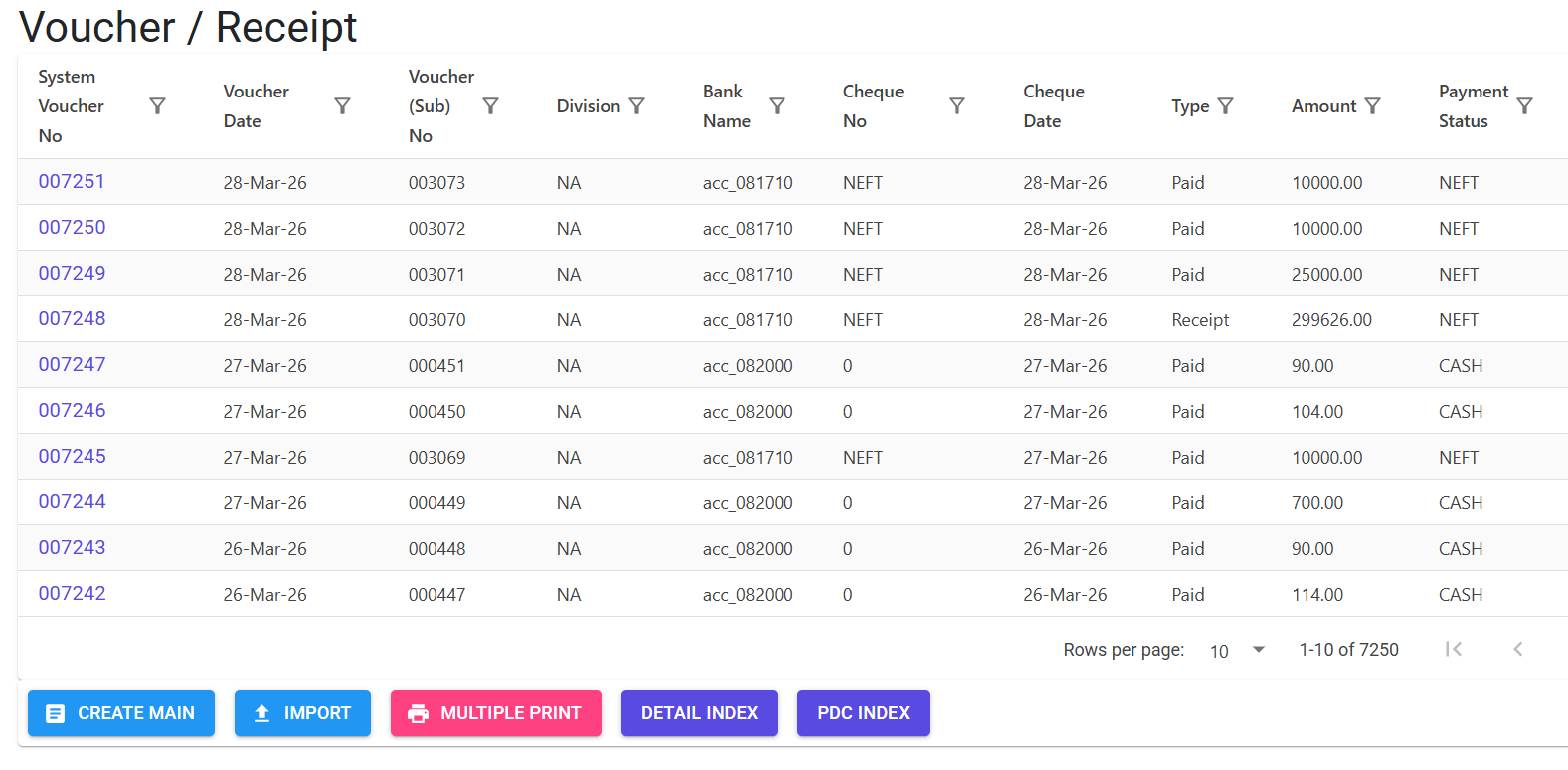
Navigate to the Voucher Index. Records are categorized as Payments or Receipts.
Key Voucher Types
- Standard Voucher: Real-time cash or bank transaction.
- Post-Dated Cheque (PDC): Future-dated transactions. These are tagged with a unique
PDCprefix (e.g.,PDC000800001) and are kept “Outside” the main ledger until their due date. - Audit-Protected Records: Any voucher that has been integrated into the main ledger is subject to a mandatory logic check before edits or deletions are allowed.
3. Features & Benefits ✨
🏦 Sophisticated Bank Integration
- Balance Safety: The system prevents recording payments if the selected Cash/Bank account has insufficient funds (can be overridden via Master settings).
- Cheque Print Workflow: Professional printing of physical cheques directly from the system, tracking
Payee NameandCheque Type. - Bank Reconciliation (Reco Date): tracks when a transaction actually clears the bank (
RecoDate), separate from the entry date.
📜 Automated Reference Settlement
- FIFO & Manual Settlement: Links payments/receipts against specific Sales Invoices (SI) or Purchase Bills (PB).
- Smart Due Checks: When settling, the system automatically fetches the “Outstanding Amount” and prevents the user from paying/receiving more than the due value.
🛡️ Compliance & Accountability
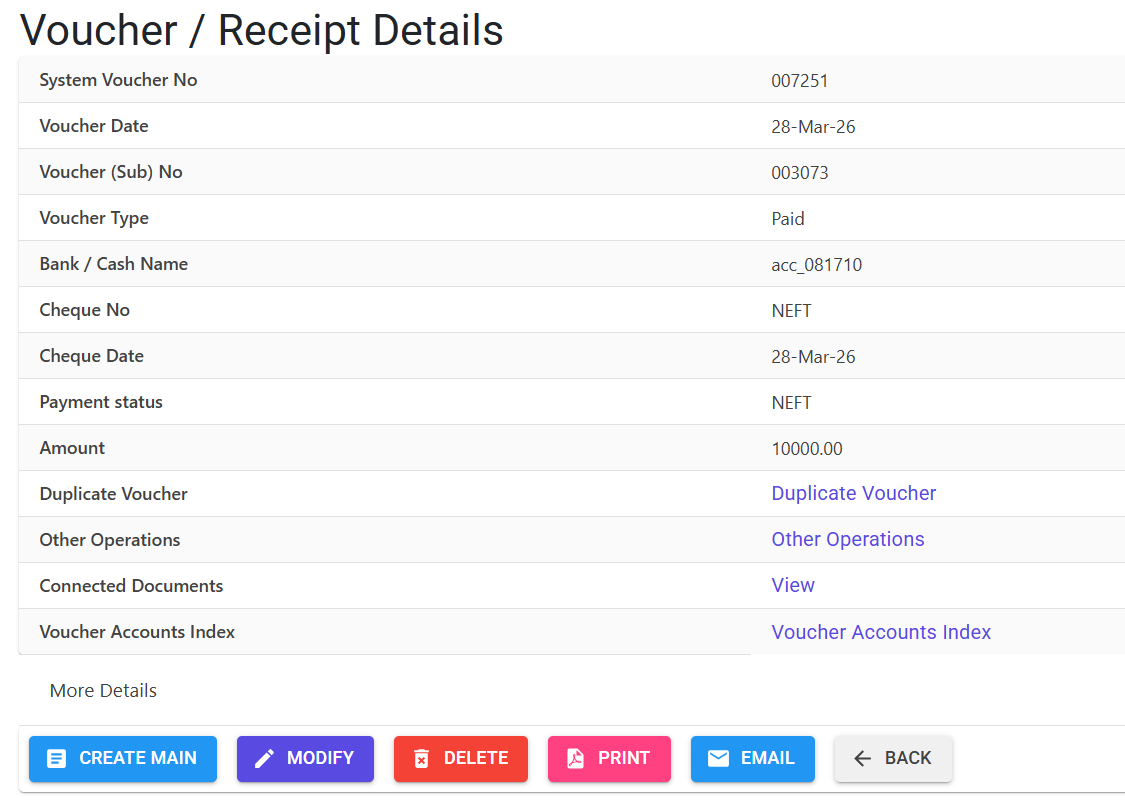
- Mandatory Audit Trail: Every deletion or modification on a standard voucher requires a documented Audit Trail Note.
- MFG Log Tracking: High-level log showing who added, edited, or duplicated a voucher and when.
4. Complete Flow 🔄
Header Setup
- Select Receipt (R) or Payment (P).
- Choose the Bank/Cash Account.
- Define if the voucher is Post-Dated (PDC).
- Enter Cheque/UTR Details and the Voucher Date.
Item-Wise Settlement (Lines)
- Select the Ref Doc (SI, PB, OA, AD, or GL).
- Choose the Party Control Account.
- For SI/PB, enter the Ref No/Ref Date. The system fetches the balance.
- Define the Settlement Amount.
Finalization
- Review the Total Amount.
- Add general Voucher Notes.
- Print the Voucher Slip or Cheque.
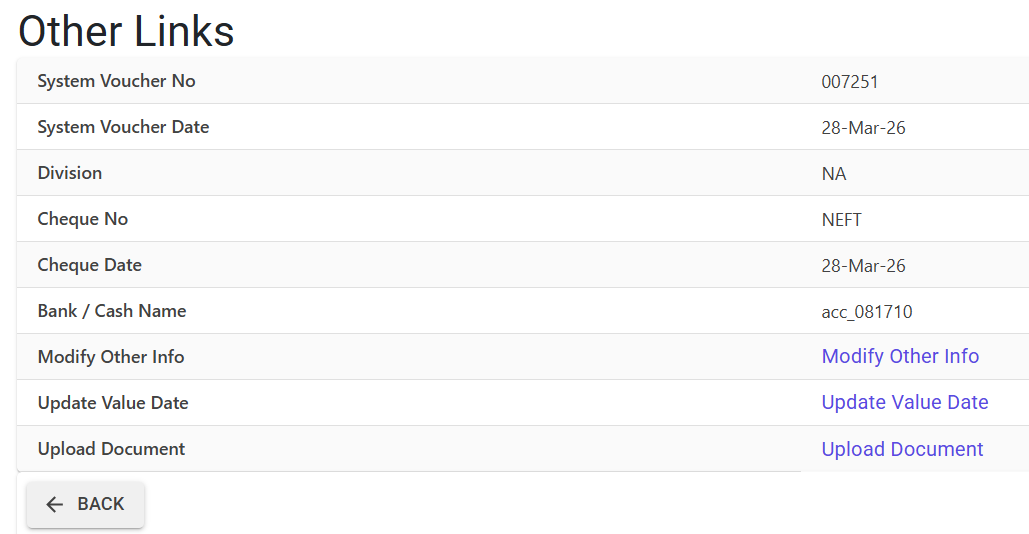
- Once cleared in the bank, update the Value Date (Reco Date) for reconciliation.
5. Validations and Logic ⚠️
Main-Level (Header) Validations
- Cheque Date Window: Cheque dates must be within +/- 180 days of the voucher date.
- System Lock: If the parameter
AllowCreateVoucheris set to ‘N’ (typically during month-end closing), new vouchers cannot be created. - Bank Chronology: For specific banks, vouchers cannot be dated prior to the last authorized transaction to maintain a sequential bank book.
Line-Level (Settlement) Validations
- Party Uniformity: You cannot add different parties to a single payment voucher (ensures accounting clarity).
- Ref-Doc Integrity:
- Ref Date cannot be later than the Voucher Date.
- Amount Cap: You cannot settle an amount greater than the “Due Amount” of the linked invoice/bill.
- Zero-Value Prevention: Modifications that result in a total document value of 0 are strictly prohibited.
- Audit Notes: If the
AuditTrailparameter is ‘Y’, notes are mandatory for every edit.
6. Related Reports 📊
- 📄 Professional Voucher Slip: A QuestPDF document detailing the settlement table (Ref Docs, Amounts, Notes).
- 🏦 Bank Reconciliation Report: Shows items pending clearing (Voucher Date vs. Reco Date).
- 🗒️ Audit Trail Report: Detailed history of changes (Old Value vs. New Value) for forensic accounting.
7. Best Practices / Tips 💡
- Use ‘GL’ for Miscellaneous: Use the
General Ledger (GL)ref-doc for non-party transactions like Bank Charges, Electricity Bills, or Petty Cash. - Value Date for Reconciling: Always update the
Value Datewhen finalizing the monthly bank statement. This is the only way to get an accurate “Bank Balance” view. - Duplicate Feature: Use the Duplicate Vendor feature for recurring payments (e.g., monthly rent) to save time—the system will handle date increments automatically.