Loan Management
Loan Module - User Guide
1. Introduction 📝
The Employee Loan module manages the lifecycle of financial advances provided to employees. It is tightly integrated with the Payroll system to ensure that monthly installments are automatically deducted from the salary, while maintaining a clear audit trail of principal amounts, repayments, and outstanding balances.
ℹ️
In the overall business flow:
- Records Loan Disbursement to an active employee.
- Defines the Monthly Installment Amount for automated payroll deduction.
- Tracks Manual Repayments or Write-Offs.
- Syncs with Setup Payroll to prevent finalizing if a loan balance would go negative.
Typically, this module is used by Finance Managers and HR Administrators.
2. Getting Started with Loans 🚀
Accessing the Module
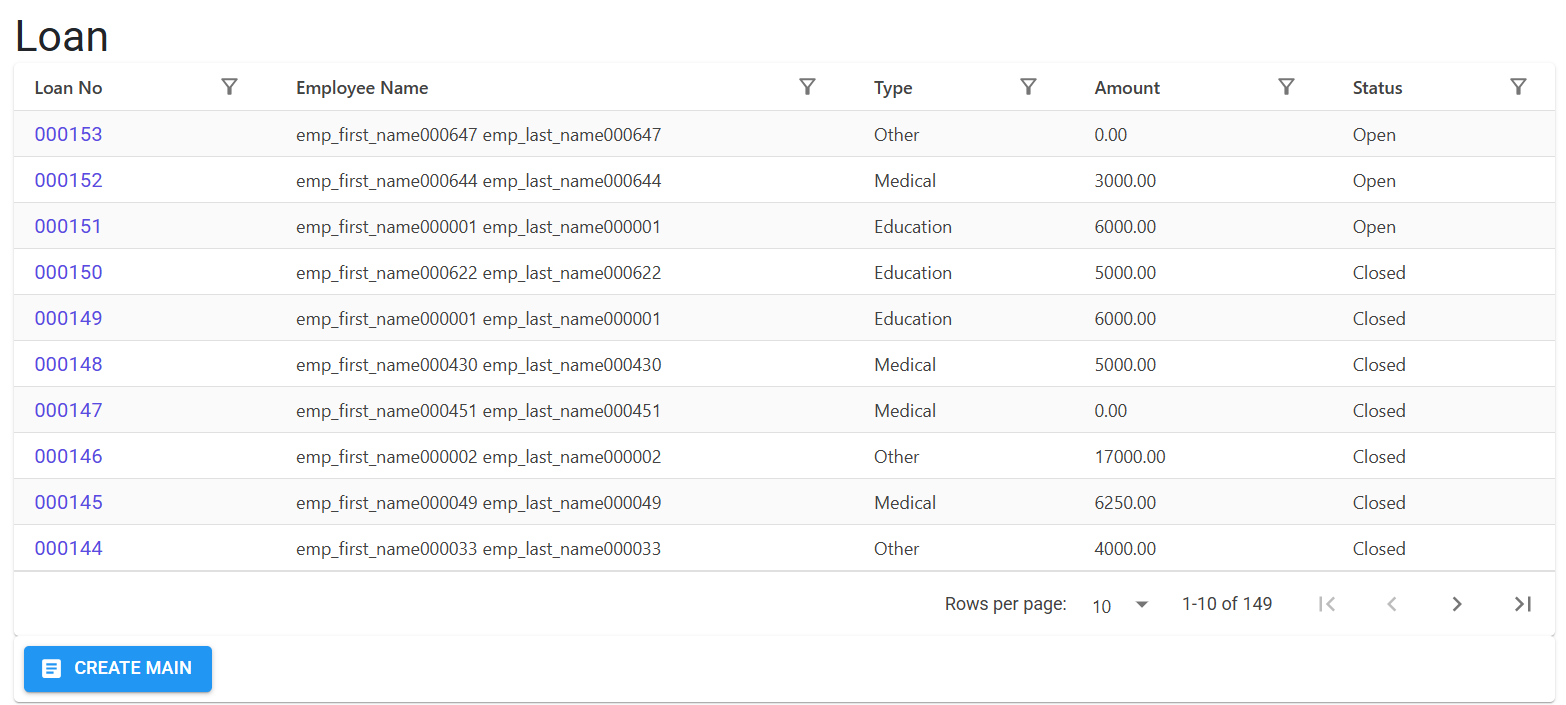
Navigate to the Loan Index. Each loan is assigned a unique 6-digit Loan No.
Core Attributes
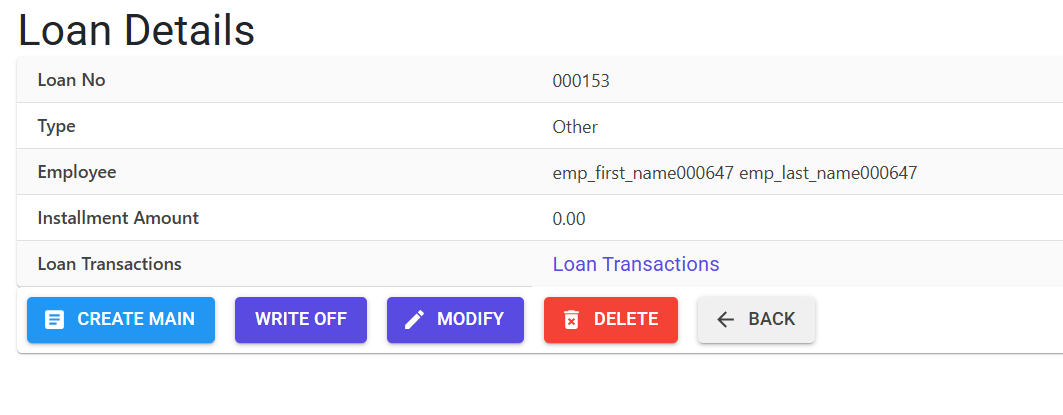
- Principal Amount: The total loan value granted.
- Installment Amount: The fixed deduction amount applied to the monthly payroll.
- Loan Balance: The real-time outstanding value (Principal - Repayments).
3. Features & Benefits ✨
🚫 Duplicate Loan Guard
- Active Loan Check: The system prevents creating a new loan for an employee who already has an outstanding active loan. This ensures debt levels stay within manageable limits.
🔄 Automated Payroll Integration
- Deduction Engine: Once a loan is authorized, the payroll engine automatically calculates and deducts the
Installment Amountduring the “Generate Pay Records” phase. - Negative Balance Guard: A critical safety check in the Setup Payroll module ensures that a month cannot be finalized if an installment would result in a negative loan balance (over-recovery).
📝 Flexible Transactions
- Manual Payments (Line Entries): Record lump-sum repayments that occur outside of the payroll cycle.
- Write-Offs: Handles internal accounting for unrecoverable loans, marking them as “Written Off” with an automated entry date based on the current Pay Date.
🛡️ Modification Security
- Balance Limit: You cannot increase an installment amount to a value higher than the remaining loan balance.
- Locking Period: Changes to loan repayments are only allowed within the “Open” date window of the current pay cycle.
4. Complete Flow 🔄
Loan Creation
- Select the Employee Code.
- Input the Principal Amount and Installment Amount.
- System generates the Loan No.
Monthly Deduction
- During Setup Payroll, the system automatically includes the installment as a deduction.
- The loan’s Balance Amount is updated immediately upon payroll finalization.
Manual Repayment
- If an employee pays cash or via cheque, go to Loan Details > Add Line.
- Input the amount. The system validates that it does not exceed the current
Loan Balance.
Closure / Write-Off
- Once the balance reaches zero, the loan is automatically considered closed.
- In case of employee exit, use the Loan Write-Off feature to clear the remaining balance.
5. Validations and Logic ⚠️
Creation & Modification
- Code: Employee Match: Rejects new loans if
GetLoanDuplicateCnt > 0. - Code: Repayment Cap: Any manual repayment (Line Entry) must be less than or equal to the current balance.
- Code: Installment Integrity: If a loan has existing repayments, the installment amount cannot be increased beyond the remaining total debt.
Transactional Guardrails
- Pay Date Sync: Manual entries (Repayments/Write-offs) can only be made within the date range of the last generated pay date. This prevents retroactive changes to finalized financial periods.
- Installment Floor: When creating specific transaction types (Type D), the amount must be equal to or greater than the authorized installment amount to ensure debt is serviced as per the agreement.
6. Related Reports 📊
- 📑 Loan Register: List of all loans, disbursement dates, and original principal amounts.
- 📈 Loan Ledger (Statement): A line-by-line statement for an individual loan showing payroll deductions and manual payments.
- 🔍 Negative Loan Warning: A report highlighting any records where recovery logic has failed or balances are anomalous.
7. Best Practices / Tips 💡
- Installment Scaling: If an employee requests a “Pause” on their loan for a month, you must modify the
Installment Amountto0for that specific pay cycle in the Loan header before generating payroll. - Finalization Errors: If Setup Payroll blocks finalization due to a “Negative Loan Balance,” it means the installment is too high for the remaining debt. Reduce the installment amount in this module to match the exact remaining balance and re-generate payroll.
- Delete with Reason: Always provide a clear
Delete Reasonif removing a loan transaction, as this is permanently logged for audit purposes.