IIRS (Internal Issue Return Slip)
IIRS (Internal Issue Return Slip) Module - User Guide
1. Introduction 📝
The IIRS (Internal Issue Return Slip) module is the primary engine for managing the physical movement of inventory within the organization. Whether it is issuing raw materials to the production line, returning unused components to the warehouse, or transferring finished goods between stores, IIRS provides a rigid audit trail and real-time stock balance synchronization.
ℹ️
In the overall business flow:
- Facilitates Stock-In (Receipt) and Stock-Out (Issue) across various internal locations.
- Supports specialized movements like Rework, Scrap Accounting, and Machine-to-Machine transfers.
- Integrates with QR-Code tracking for high-precision batch management.
Typically, this module is used by Store Keepers, Production Supervisors, and Quality Control (QC) Inspectors.
2. Getting Started with IIRS 🚀
Accessing the Module
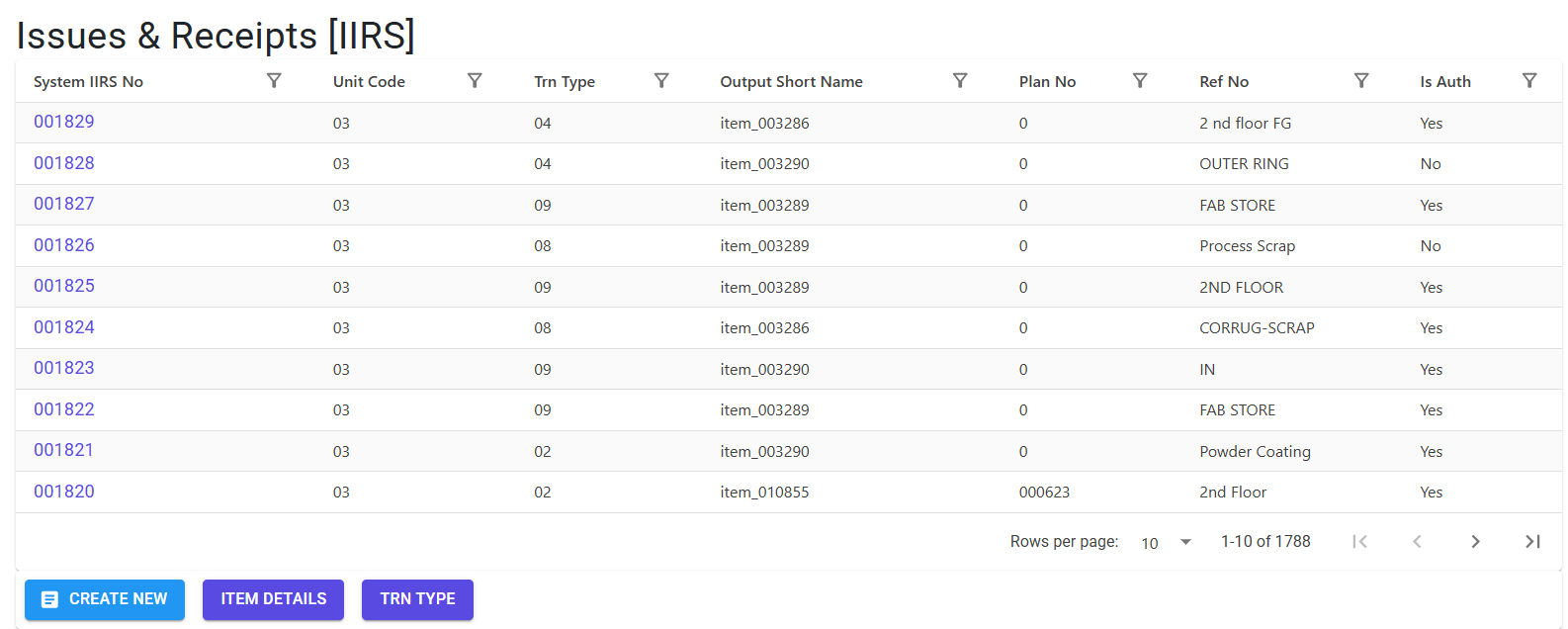
Navigate to the IIRS Index via the Inventory or Production menu.
Movement Types (IIRS Used For)
IIRS supports a wide array of transactional contexts, including:
- Standard Issue/Return: Basic material movement between stores.
- Production Issue: Issue against a specific Production Plan.
- FG Transfer: Transferring Finished Goods from the production floor to the main warehouse.
- Rework & Scrap: Specifically accounting for defective items or material loss.
- Miscellaneous: General adjustments or one-off internal requirements.
3. Features & Benefits ✨
🔄 Multi-Directional Logistics
- Auto-Contra Logic: The system automatically determines if a movement is an “Issue” or “Receipt” based on the source/destination store types.
- Contra Locations: Enforces separate Source and Destination locations to prevent redundant or circular entries.
🏷️ QR-Code & Packet Management
- QR Integration: Supports generating and scanning QR codes for individual packets or boxes.
- Standard Packaging: Automatically fetches standard package quantities from the Item Master to suggest
Qty Per Boxand calculate theNo of Packets(limit up to 300 per line).
✅ Quality Control & Authorization
- Authorize Requirement: IIRS records are “pending” until Authorized. The system prevents creating new records if older ones (typically > 2 days) remain unauthorized.
- QC Status Branding: Items can be flagged with specific Quality statuses, and the system restricts issuing Rejected stock to the shop floor.
4. Complete Flow 🔄
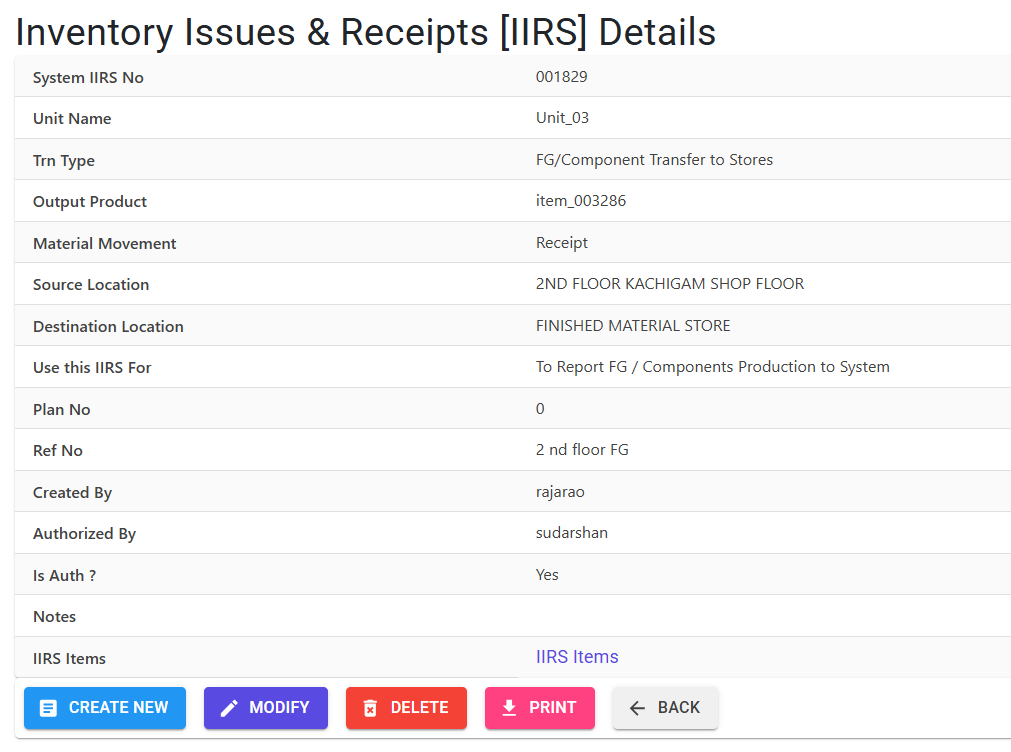
Initialize IIRS (Header)
- Define the Movement Category (e.g., Production Issue).
- Select the Source (Main) Location and Destination (Contra) Location.
- The system assigns a unique IIRS No and fiscal-year-locked YearIirsNo.
Add Material Lines
- Add items manually or via Bulk Excel Import.
- For Issues, the system checks current stock and prevents Negative Stock (if enabled).
- For QR-enabled items, define the Qty Per Box to generate tracking labels.
Finalize & Authorize
- Review the totals and added Notes (relevant notes > 10 chars mandatory for certain types).
- Print the Inventory Issue Return Slip for physical movement.
- Use the Authorize action to commit the stock movement to the ledger.
5. Validations and Logic ⚠️
Main-Level (Header) Validations
- Location Mirroring: Source and Destination locations cannot be identical.
- Authorization Lockout: Users are blocked from creating new IIRS if unauthorized records older than 2 days exist in the system (
GetUnauthorizedIirsCntcheck). - Movement Direction: If
AutoContrais disabled, the user must explicitly select if the slip is an Issue (I) or Receipt (O).
Line-Level (Item) Validations
- Negative Stock Guard: For issue types, the system prevents adding quantities exceeding current availability (respecting Item, Stage, and Brand).
- Date Constraints: Transactions must be dated after the last processed IIRS to maintain chronological stock integrity.
- Packaging Limits:
No of Packetsmust be between 1 and 300 to prevent unmanageable batch creation.Qtymust be an exact multiple of theQty Per Box. - State Restrictions: Items with an
ItemStateCodeof ‘R’ (Rejected) are strictly prohibited from being issued to the Shop Floor (M). - Note Relevancy: For “Miscellaneous” movements, a relevant note of at least 10 characters is mandatory for audit accountability.
6. Master Data Dependencies 📚
- Store/Location Master: Defines source and destination locations and their “Types” (SF, RM, FG).
- Item Master: Defines available materials, their stages, and standard packaging norms.
- Brand Master: Essential for tracking specific product lineages in material movement.
- Transaction Type Master: Maps specific movement codes (e.g.,
04for FG Transfer) to user roles and permissions.
7. Related Reports 📊
- 🧾 Inventory Issue / Return Slip: The primary transaction document detailing Plan Nos, Machine/Shift context, and Issued vs. Received quantities.
- 📋 Negative Stock Index: A diagnostic tool identifying items where requested issues exceed current book stock.
- 🏷️ QR Traceability Report: Logs showing tracking IDs (
TRN Id) generated during the IIRS process for box-level audits.
8. Best Practices / Tips 💡
- Stay Current with Authorizations: Don’t let IIRS records sit in “Draft” (Maker) status. Unauthorized records will eventually block the whole team from creating new slips.
- Use ‘Notes’ for Audits: Especially for returns and scrap, use the notes field to describe why the material is moving (e.g., “Machine Jam—1kg wasted”).
- Excel Model for Bulk Movement: Use the
IIRS Download Modelfor large-scale store transfers or initial product loading into the shop floor.