Production Plan
Production Plan Module - User Guide
1. Introduction 📝
The Production Plan module acts as the strategic scheduler for the manufacturing facility. it defines what needs to be produced and when, bridging the gap between Customer Orders/Forecasts and the shop floor. It is the primary driver for MRP (Material Requirements Planning), helping procurement teams anticipate raw material needs based on active BOMs.
In the overall business flow:
- Consumes Sales Forecasts or Pending Orders to build a timeline.
- Triggers Procurement Plans and Indent Generations for missing components.
- Serves as the master reference for Daily Production Recording.
Typically, this module is managed by Production Planners, PPC (Production Planning & Control) Heads, and Materials Managers.
2. Getting Started with Production Plan 🚀
Accessing the Module
Navigate to the Production Plan Index under the Manufacturing menu.
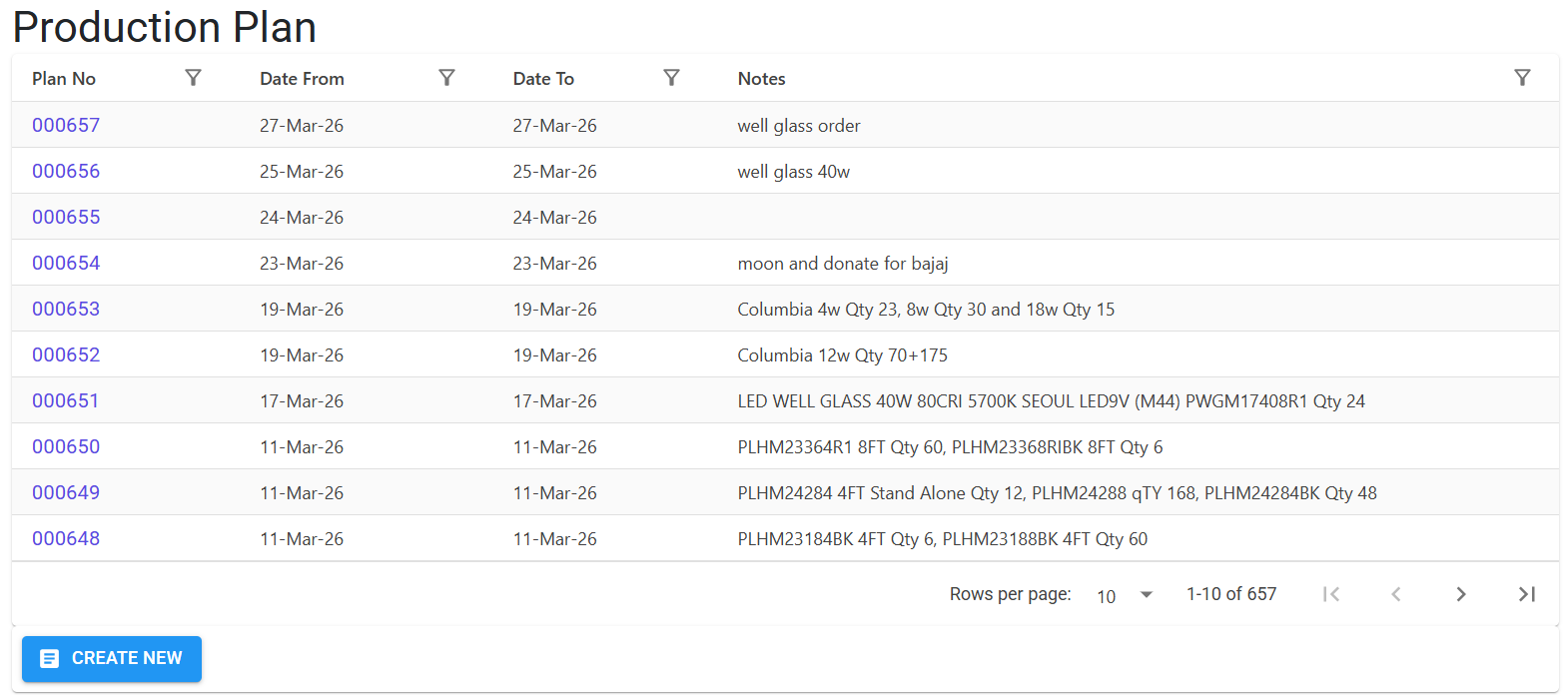
Modes of Creation
- Manual Planning: Create a Plan Header for a specific period, then add products and their target quantities line by line.
- Bulk Excel Import: Standardize large planning cycles by downloading the template, defining Item IDs and Quantities offline, and importing them. The system validates that all items possess active BOMs before accepting the import.
3. Features & Benefits ✨
📅 Time-Bound Scheduling
- Period Management: Define clear Start and End dates for each plan. The system enforces date logic (End Date cannot precede Start Date) to prevent scheduling errors.
- Fiscal Year Tracking: Plans are uniquely tagged with
YearPlanNo(e.g.,202604000001) to maintain year-over-year traceability and audit compliance.
📦 MRP & Fulfillment Integration
- BOM Linkage: Every item in a Production Plan is automatically cross-referenced against its Bill of Materials to calculate downstream material requirements.
- Final Plan Calculation: Automatically calculates the “Net Plan Quantity” by subtracting available Finished Goods (FG) stock and adding Pending Order obligations.
⚡ Operational Efficiency
- Full Kit Analysis: A specialized diagnostic feature that checks if all required Raw Materials (the “Full Kit”) are available in stock before starting a production run for a specific plan.
- Diagnostic Tools: Identifies duplicate items within the same planning cycle to prevent over-purchasing or redundant production instructions.
4. Complete Flow 🔄
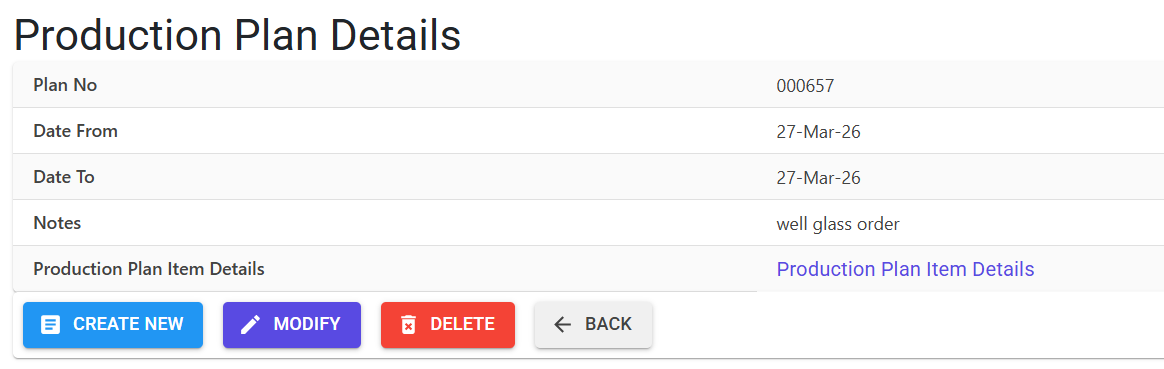
Initialize the Plan (Header)
- Define the Plan Period (Start Date and End Date).
- The system generates a unique Plan No and YearPlanNo.
- Add high-level Notes regarding the production objective (e.g., “Q1 Stock Building”).
Add Target Products (Lines)
- Select Items that exist as BOM Products.
- Specify the Target Qty required for the period.
- Use Excel Import for high-volume planning (e.g., monthly resets).
Run Requirements (MRP)
- Access the MRP Reports to view calculated material consumption.
- The system explodes the BOMs of all planned items to show cumulative Raw Material needs.
- Review Procurement Plans to identify which items need immediate Indenting.
5. Validations and Logic ⚠️
The module ensures planning accuracy through several automated checks.
Main-Level (Header) Validations
- Date Integrity:
EndDatemust be equal to or greater thanStartDate. - Persistence: Plans cannot be deleted if they already contain item lines (
prd1count check).
Line-Level (Item) Validations
- BOM Availability: Items added to a plan must have an active BOM. During Excel Import, the system returns Error Code
Aif an Item ID is invalid or lacks a BOM formulation. - Duplicate Guard: The system prevents the same product from being added twice in the same
YearPlanNo. - Quantity Constraints:
Qtymust be a valid positive number.- Excel imports reject rows with Error Code
Bif quantities are outside practical limits (1 to 999,999.999).
6. Related Reports 📊
Managed primarily through the MRP Report Controller, these reports provide the actionable data from your plans:
- 📉 Production Plan Report: A raw list of what is planned across specific units and date ranges.
- 📦 Product Wise Consumption: Explodes the plan to show every Raw Material and Stage required to fulfill the production target.
- 💰 Procurement Plan: A critical report comparing Computed Requirements vs. Current Stock vs. Pending Indents. It even suggests the “Make Indent” quantity.
- 🛠️ Full Kit Plan Report: A “Go/No-Go” report that confirms if a production line can actually start based on current component availability (Notional Qty checks).
- 📋 Item Wise Consumption Summary: Aggregates raw material needs across ALL planned products into a single procurement list.
7. Best Practices / Tips 💡
- Check Full Kit Before Releasing: Always run the “Full Kit Report” before issuing a production floor order to ensure you won’t have to stop mid-way due to a missing component.
- Sync with Sales: Use the “Final Production Plan” report to ensure your planned quantities are sufficient to cover “Pending Order Qty”.
- Audit Logs: Every Edit or Deletion is logged in the
MFGLog. Use this to trace who modified production targets mid-cycle.