Collection Status Master
Collection Status Master - User Guide
1. Introduction 📝
The Collection Status Master is a foundational setup table used to define standardized statuses for tracking invoice payments. By creating a unified list of status codes (e.g., “P” for Promised, “D” for Dispute, “C” for Collected), companies can maintain consistent communication across the finance and sales departments regarding the actual state of outstanding receivables.
ℹ️
In the overall business flow:
- It provides the lookup data used in the Invoice Collection Status module.
- It enables categorized reporting on why payments are pending.
- It ensures that data remains clean by providing a restricted list of valid status codes.
Typically, this module is managed by Finance Managers and Credit Controllers.
2. Getting Started with Collection Status Master 🚀
Accessing the Module
The master is usually accessed as a prerequisite for the collection tracking process:
- Navigate to the Invoice Collection Status module.
- Click the “Collection Status Master” button on the Collection Status Index.
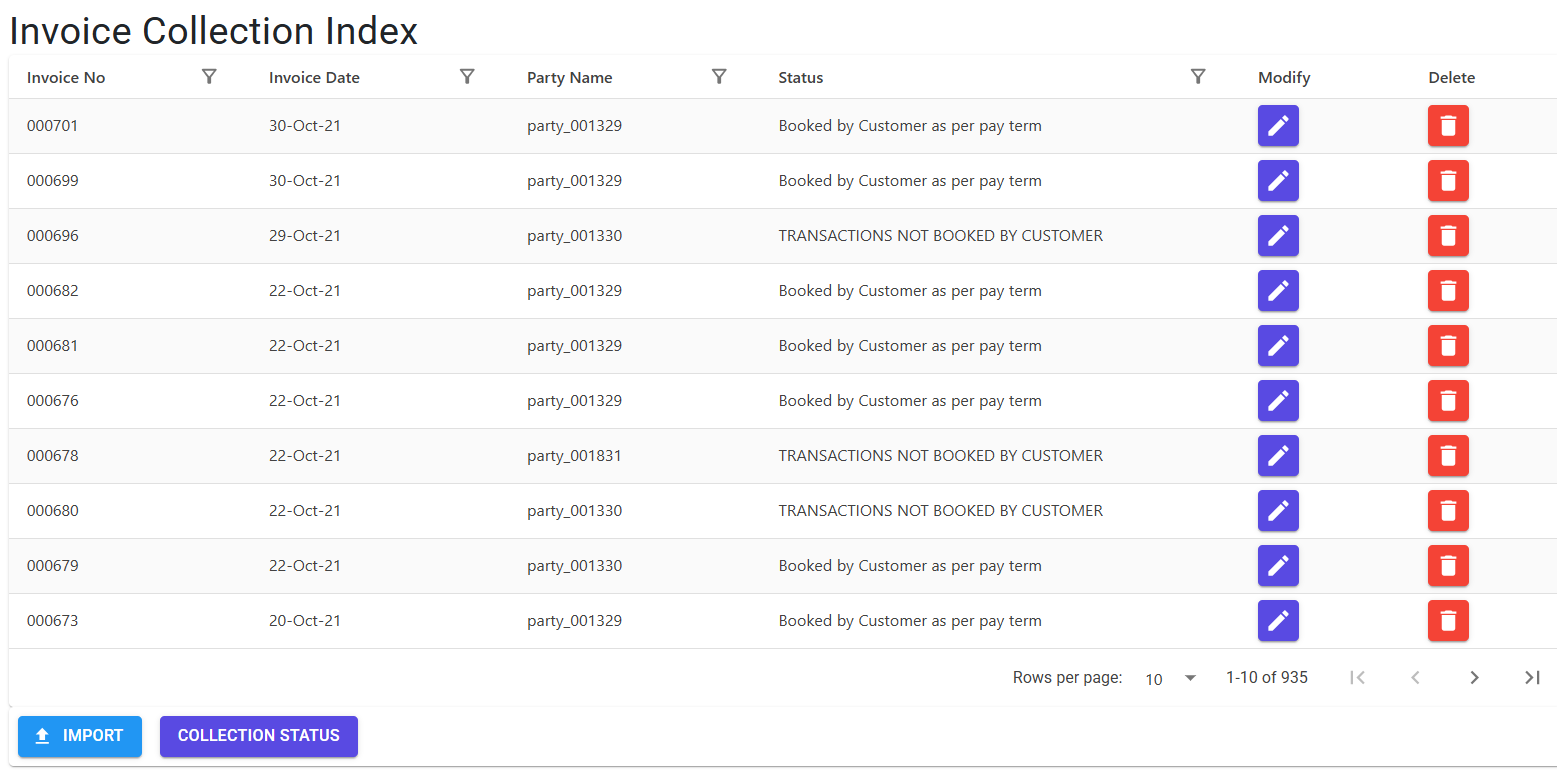
The Master List
The index page displays all currently defined statuses:
- Status Code: A unique 2-digit system-generated code.
- Status Name: The descriptive name of the collection state (e.g., “Cheque Received”).
3. Features ✨
- 🛡️ Reference Protection: Before a status is deleted, the system automatically checks the entire database. If the status is currently linked to even a single invoice, deletion is blocked to prevent “orphaned” records.
- 📏 Capacity Limits: The module is optimized for a high-efficiency list, supporting up to 99 unique collection categories.
- 🔐 Role-Based Access: Specialized roles (e.g.,
CollectionStatusMstDetails) ensure that only authorized senior staff can modify the master list.
4. Complete Flow 🔄
Defining and utilizing a new collection status:
Create a New Status
- Click “Create New” on the Collection Status Index.
- Enter a descriptive Status Name (e.g., “Follow-up Next Week”).
- Click “Save”. The system will assign the next available 2-digit code.
Usage in Bulk Update
- Navigate to the Invoice Collection Status module.
- Download the Invoice Collection Export (Excel).
- In the Excel file, enter your new Status Code in the “Collection Status” column for the relevant invoices.
- Import the Excel back into the system.
Management & Cleanup
- Periodically review the master list.
- Modify names for clarity via the Edit button.
- Use the Delete button to remove obsolete statuses (allowed only if not in use).
5. Validations and Error Handling ⚠️
The system enforces the following integrity checks:
| Validation Type | What is checked? | Error Message / Action |
|---|---|---|
| Integrity Check | If status is used in any invoice records. | “Master Record is live. You may not delete it.” |
| Table Full | If 99 records are reached. | “This table can hold a maximum of 99 records… unable to save.” |
| Field Length | If Status Name > 50 characters. | “Status Name can be upto 50 characters only.” |
| Mandatory Entry | If Status Name is left empty. | “Status Name needs to be filled.” |
6. Tools / Smart Features 🔧
- 🕵️ Delete Count Utility: A background service (
GetCollectionStatusMstDeleteCount) that instantly scans the database for dependencies, providing the user with immediate feedback if a record is “protected.”
7. Related Reports 📊
- 🧾 Collection Status Master List: Export the full list of collection statuses for reference during bulk updates.
8. Configuration Requirements ⚙️
- 🏦 Finance Setup: This master should be aligned with the company’s Credit Policy definitions.
- 📊 Excel Integration: Users must know the 2-digit codes to perform bulk updates; keeping a printed list of the Collection Status Master is recommended for high-volume data entry teams.
9. Best Practices / Tips 💡
ℹ️
- Keep Descriptions Concise: Use clear, actionable names like “Call Scheduled” or “Escalated to Sales.”
- Avoid Duplicates: Before creating a new status, check if an existing one can cover the scenario with a slight name change.
- Audit Periodically: De-clutter the list by deleting unused statuses to keep the bulk-update Excel drop-downs manageable.
10. Technical Observations 🔍
⚠️
- 2-Digit Code Dependency: The bulk-import logic for Invoice Collection is hardcoded to validate 2-digit strings. Never modify the format of the
StatusCodein the database directly. - Protected Records: Once a status is used in a production environment, it is intentionally difficult to delete to maintain historical reporting accuracy.