Import Document (Landed Cost)
Import Document (Landed Cost) Module - User Guide
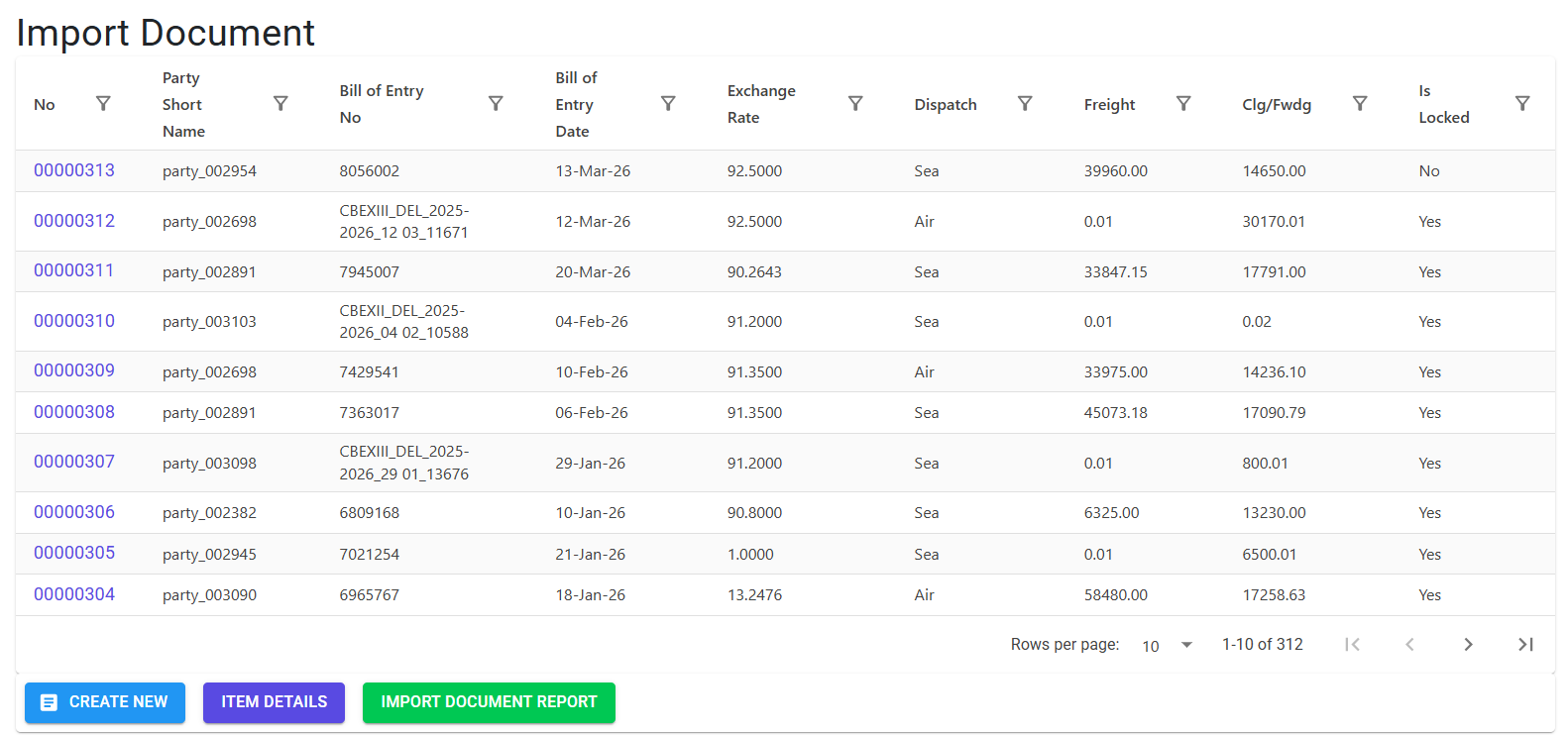
1. Introduction 📝
The Import Document (Landed Cost) module is used to calculate the final cost of an imported item by adding all associated overheads—such as Import Duty, Social Welfare Surcharge (SWC), Freight, and Clearing Charges—to its base FCNR (Foreign Currency Non-Resident) purchase price. This process, known as Landed Cost Apportionment, ensures that the inventory is valued accurately in the system.
Business Purpose:
- Collects all import-related expenses for a specific shipment/consignment.
- Distributes these expenses across the individual items in that shipment.
- Updates the weighted average cost of the items to reflect the true “Landed” price.
2. Landed Cost Concepts 🚢
📈 Apportionment Logic
Apportionment is the method of distributing total shipment costs (like Freight) among items. The system typically uses:
- By Value: Costs are distributed based on the FCNR value of each item.
- By Weight/CBM: Costs (like Freight) can be distributed based on the physical dimensions or weight of the items.
🧮 Landed Cost Formula
The system calculates the final Landed Cost Rate as:
Base Rate (FCNR * Exchange Rate) + Allocated Import Duty + Allocated SWC + Apportioned Freight + Apportioned CLF
3. Operational Workflow 🔄
Creating the Header
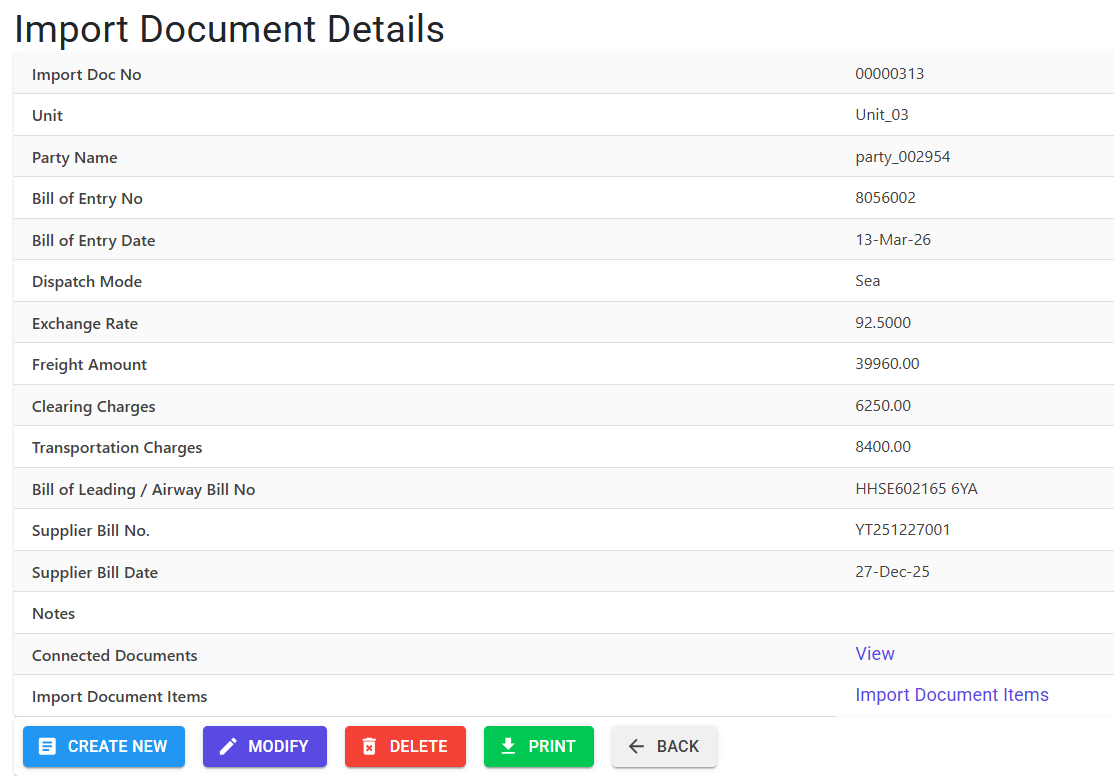
- Records the Bill of Entry (BE) Number, BE Date, Supplier Bill Number, and Dispatch Mode.
- Selects the Party and Unit (these must match the source GRN and Indent).
Linking Items
- Items are linked to the Import Document from a valid GRN (Goods Receipt Note).
- The system fetches only those GRNs that are:
- Linked to a valid Indent.
- Not yet connected to another Import Document.
- Not yet fully “Billed” (Purchase Bill).
Bulk Processing (Excel)
For consignments with many lines, users can use the Import Landed Cost feature:
- Download Model: Generates a 12-column Excel template pre-filled with pending GRN/Indent data.
- Update: Enter the Duty and SWC values for each line in the Excel file.
- Import: Upload the file to bulk-update all lines in the system.
4. Technical Validations ⚠️
Connectivity Requirements
- Unbilled GRNs: Only GRNs that have not yet been processed through a Purchase Bill can be used for Landed Cost calculation.
- Party/Unit Matching: The system strictly enforces that the Party and Unit selected in the Import Document header match the linked GRN’s records.
Automatic Rollback Logic
- Consistency Guard: If a Landed Cost line is deleted, the system automatically triggers a Rollback on the linked Indent record.
- Action: This resets the “Indent Rate” and “Conversion Status” to their original pre-import values, ensuring the Indent remains available for correction or re-linking.
5. Reporting 📊
- 📊 Import Analysis Report: A comprehensive report providing a line-by-line breakdown of FCNR values, Exchange Rates, Basic amounts, and all apportioned costs (Freight, Duty, CLF).
- Security: Access is restricted by Fiscal Year; users can only generate reports within their active FY range (defaulting to Max 2-year range).
6. Best Practices / Tips 💡
- Exchange Rates: Ensure that the Exchange Rate entered in the Import Document matches the rate confirmed by the customs/bank for that specific shipment to maintain financial accuracy.
- Weighted Apportionment: For shipments containing items of vastly different sizes (e.g., small high-value sensors vs. large metal frames), using the Weight/CBM apportioning method provides a more accurate Landed Cost.
- Audit Logs: Remember that all “Add Line” and “Delete Line” actions are recorded in the system audit trail for compliance.