Purchase Indent
Purchase Indent Module - User Guide
⚡ Quick Start: 3-Minute Fast Track
For procurement officers who need to raise a request quickly:
- Header: Click Create New, pick a Supplier, and set the Transport Mode.
- Items: Search for Item, pick the Brand, and enter the Qty.
- Rates: Ensure the Cost Master has a rate for this Item-Brand combination.
- Dates: Verify the To-Be-Received By date against the system-calculated Lead Time.
- Finalize: Save. The indent is now live and waiting for a GRN.
🗺️ Process Flow: Need to Receipt
graph LR
    Need[Internal Need] --> Indent[Purchase Indent]
    Indent --> PO[Purchase Order]
    PO --> GRN[Goods Receipt Note]
    GRN --> Bill[Purchase Bill]

    style Indent fill:#f9f,stroke:#333,stroke-width:2px
✅ Prerequisites Checklist
Before raising an indent, ensure:
- Supplier Master: The vendor is registered with active branches.
- Cost Master: A valid rate is defined for the Item/Brand/Supplier combo.
- Lead Time Master: Logistics data is updated for accurate delivery dates.
- Item Configuration: Ensure the item is assigned to the correct procurement group.
1. Introduction 📝
The Purchase Indent module (often referred to as a Purchase Requisition) is the formal starting point of the procurement process. It is a document used by various departments to request the purchase of materials, components, or services.
In the overall business flow:
- It identifies the Internal Need for materials.
- It fetches Valid Costing from the Cost Master to ensure budget compliance.
- It serves as the base document for Goods Receipt Notes (GRN) or Purchase Bills.
Typically, this module is used by Store Keepers, Production Supervisors, and Procurement Officers.
2. Getting Started with Indents 🚀
Accessing the Module
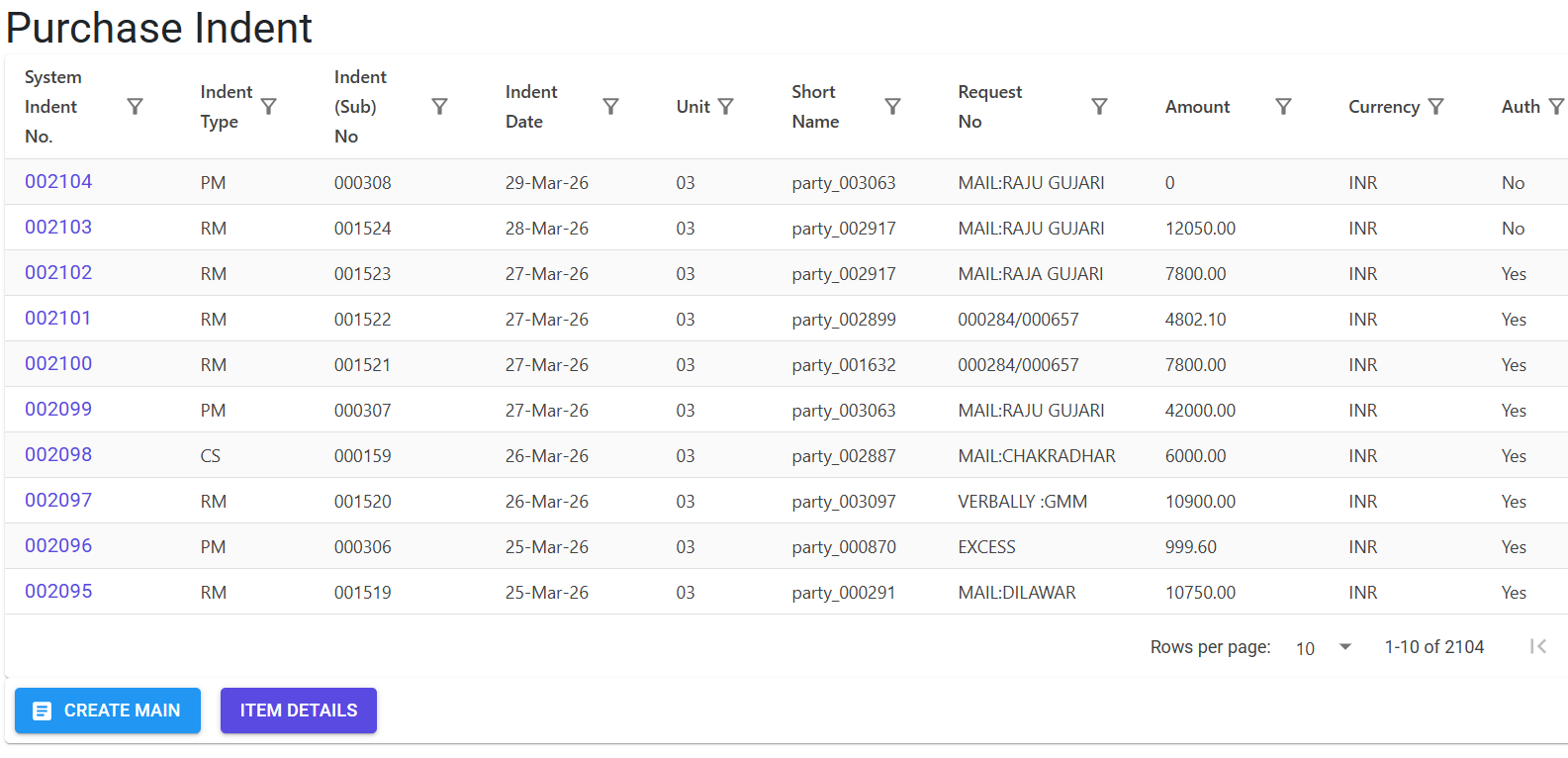
Navigate to the Purchase Indent Index via the Procurement menu.
Indent Types
The system supports different categories of indents (e.g., Raw Materials, General, Consumables), each with its own sequential sub-numbering logic for better tracking.
3. Features ✨
🏗️ Two-Tier Management
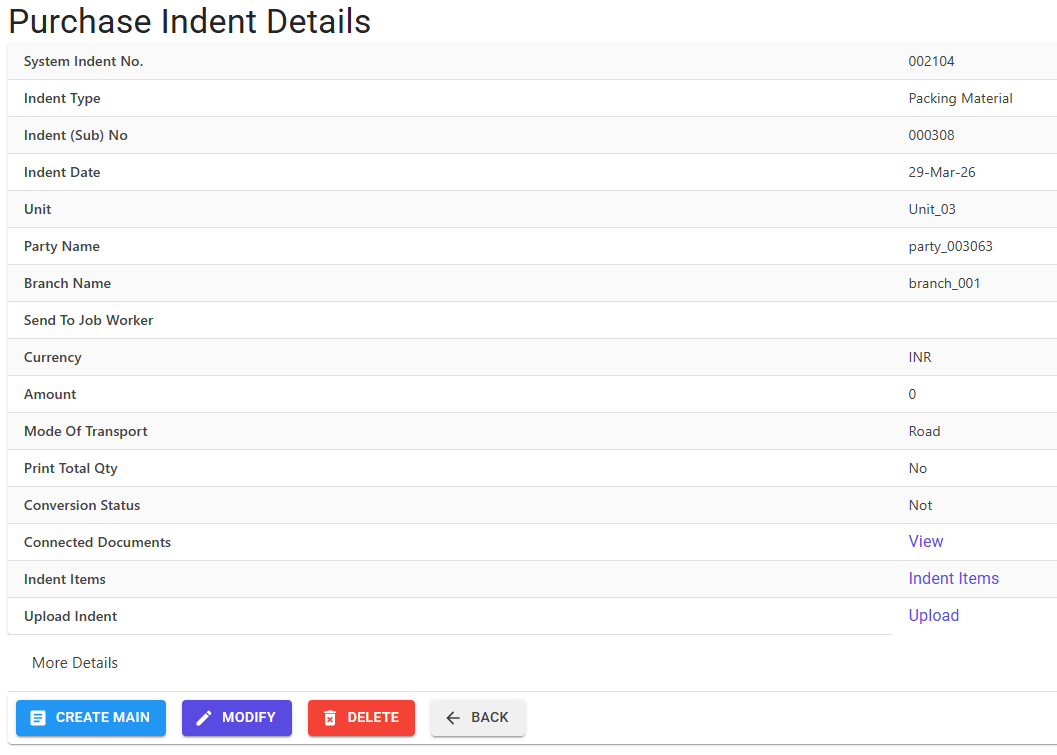
- Indent Main (Header): Captures the “Who” and “When”—Party (Supplier), Branch, Currency, and Transport Mode.
- Indent Lines (Details): Captures the “What” and “How Much”—Items, Brands, Quantities, and specific delivery dates.
💰 Automated Costing Logic
- Cost Master Link: By default, the system fetches the current rate for an item based on the selected Party, Brand, and Currency.
- Non-Standard Costs: Users can manually enter rates only if the “Non Standard Cost” flag is enabled for that specific Item Group in the master settings.
⏳ Logistics & Timeline Planning
- Lead Time Integration: Calculates the “Required By Date” automatically by combining Lead Time (from Master) and Transit Days.
- Lead Time System Parameter: If enabled (
GetReqdByFromLeadTimeMst), the system strictly enforces arrival dates based on established logistics data.
🚚 Job Work & Drop-Shipping
- Ship To Overrides: Request materials to be delivered directly to a Job Worker’s premises by selecting a different “Ship To” party and branch.
4. Complete Flow 🔄
Header Creation
- Select the Supplier (Party) and their Dispatch Branch.
- Define the Currency (INR or FCNR). For Foreign currencies, a conversion Factor is required.
- Enter the Request Date and Transport Mode.
Item Entry (Lines)
- Pick the Item and Brand.
- Set the Stage (e.g., Raw Material - RM).
- Enter the Quantity. The system will auto-calculate the Amount using the Cost Master rate.
Logistics Review
- Review the Transit Days.
- Confirm the To-Be-Received By Date. The system validates that this date allows for the necessary lead time.
Finalization & Consumption
- Once saved, the indent is “Live”.
- It remains Pending until it is fulfilled by a GRN or Short-Closed if no longer needed.
5. Validations and Logic ⚠️
The Purchase Indent module applies a dual-layer validation process to ensure procurement data satisfies both commercial agreements and logistical constraints.
Main-Level (Header) Validations
These rules are checked during the creation or modification of the indent header:
- GST registration Matching: The Supply State Code (based on the supplier’s dispatch branch) must match the GSTIN State Code of the primary party. This ensures correct IGST/CGST/SGST routing.
- Date Guardrails:
- Request Date: Must be on or before the Indent Date.
- Backdating Protection: Users cannot date an indent before the last recorded indent in the current financial year to maintain numerical and chronological integrity.
- Job Work Integrity: When material is dispatched to a Job Worker (the “Send To” party), the system ensures the selected branch is valid and that the Job Worker is not the same as the primary Supplier.
- Line-Date Consistency: If lines already exist, the main Indent Date must be prior to all To-Be-Received By dates in the line items.
Line-Level (Item) Validations
These rules are triggered when items are added to the indent:
- Lead Time Enforcement: If the system parameter
GetReqdByFromLeadTimeMstis active, the system strictly validates the “To-Be-Received” date. It must allow for the combined Lead Time (manufacturing) and Transit Days (logistics) from the Lead Time Master. - Advanced Costing Logic:
- Cost Master Fetch: Rates are automatically fetched based on the specific Item-Party-Brand-Currency combination. If a rate is missing or zero in the Cost Master, entry is blocked.
- Non-Standard Cost Permissions: Manual rate entry (
IsManualRate = 'Y') is only allowed for Item Groups expressly authorized in the Item Master (e.g., specialized components or volatile commodities).
- Monetary Ceiling: To prevent data entry errors, the system blocks lines where the total value (
Qty * Rate) exceeds 999,999,999.99. - End-Customer Association: If an indent is being raised for a specific customer project, both the End Customer Name and their specific Item Part No must be linked for traceability.
6. Referential Integrity & Safeguards 🛡️
The system uses a robust locking mechanism to prevent modifications once a procurement cycle has progressed.
The Authorization Lock (IsAuth)
Indent processing often requires senior approval. Once the Authorize flag is set to ‘Y’:
- The document is Frozen: No lines can be added, modified, or deleted.
- Revocation: Authorization can only be revoked by users with
IndentAuthorizeroles, and ONLY if no downstream documents (GRNs/Bills) have been created.
Connected Documents (The “Blocking” System)
The Connected Docs Index performs a real-time scan across the database. Modification or Deletion is STRICTLY PREVENTED if any of the following links exist:
- GRNs (Goods Receipt Note): If any quantity has been received against the indent.
- Advance License: If the indent is linked to an export obligation/license application.
- Supplier Bills: If a financial liability (Purchase Bill) has been booked.
- Import Documents: If the indent is part of a “Landed Cost” calculation for imported goods.
- Job Work: If the indent items have been referenced in a Job Work Annexure.
Period & Access Locks
- Book Closure: Prevents any changes if the accounting month is locked.
- Deletion Reason: Every deletion (Header or Line) requires a documented reason (min 10 characters) which is stored in the MFGLog audit trail.
7. Bulk Excel Import Logic 📊
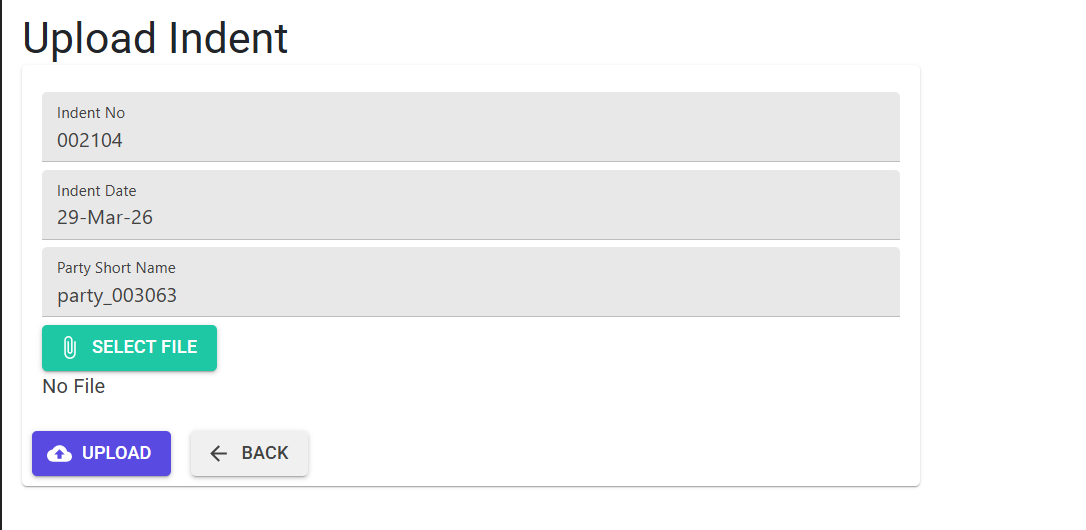
The Import XL utility (found in “Other Operations”) uses two sets of diagnostic codes to validate large datasets.With this feature you can Import large data sets within few minutes.
8. Related Reports 📊
- 📋 Indent Analysis Report: Tracks the lifecycle of every requisition—Pending, Received, and Short-Closed quantities.
- 📦 Purchase Analysis Report: Analyze procurement trends, supplier performance, and item-wise purchase history.
- 📑 Indent Register: A chronological summary of all indents issued within a specific date range or financial year.
9. Technical Observations 🔍
- Currency Precision: Supports up to 4-decimal rates for high-precision procurement.
- Audit Trail: Records “Old Value” vs “New Value” for every modified field in both
Indent(Main) andIndent1(Line) tables. - S3 Storage: Original scanned indents or supplier quotes can be uploaded and retrieved via
MFGReports/Docs/{DB}/Indent/{YearIndentNo}.pdf.
10. Best Practices / Tips 💡
- Check ‘Connected Docs’ First: If you cannot modify an indent, click “View” in the Connected Documents row to identify the locking GRN or Bill.
- Lead Time Masters: Keep your Lead Time Master updated to ensure the “To-Be-Received” dates are realistic and system-validated.
- Brand Selection: Always select the specific Brand Code (even if prices are similar) to ensure the system fetches the correct negotiated rate from the current Cost Master.
- Short-Close Utility: Regularly use the Short Close menu to clean up old indents that will not be fulfilled; this keeps your “Pending Material” dashboard accurate.