Item Master
Item Master - User Guide
1. Introduction 📝
The Item Master is the core database of all materials and services your business handles. This includes Raw Materials (RM), Work-in-Progress (WIP), Finished Goods (FG), and even Service Items. It defines how items are categorized, taxed, stocked, and moved across your organization.
Key Objectives of Item Master:
- Inventory Control: Define safety levels and re-order triggers.
- Statutory Accuracy: Link HSN codes and GST rates for automated invoicing.
- Logistics Management: Track storage locations (Racks) and packing standards.
- Unit Conversions: Manage procurement in one unit (e.g., Kgs) while stocking in another (e.g., Sheets).
2. Getting Started with Item Master 🚀
Accessing the Module
To access the Item Master module, navigate to the Common Masters > Item section from the main menu.
The Index Page
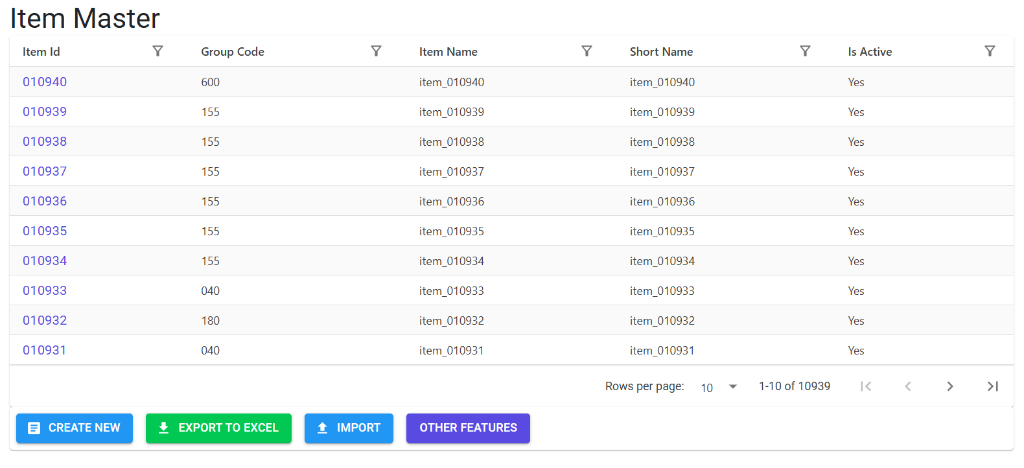
Upon opening, the Index Page displays a comprehensive list of all parts and services. Here, you can:
- Search/Filter: Look for items by Item Id, Group Code, Name, or status.
- Navigation: Click on an Item Id to view detailed configurations.
- Bulk Management: Access Create New, Export to Excel, and Import tools.
Item Master Details
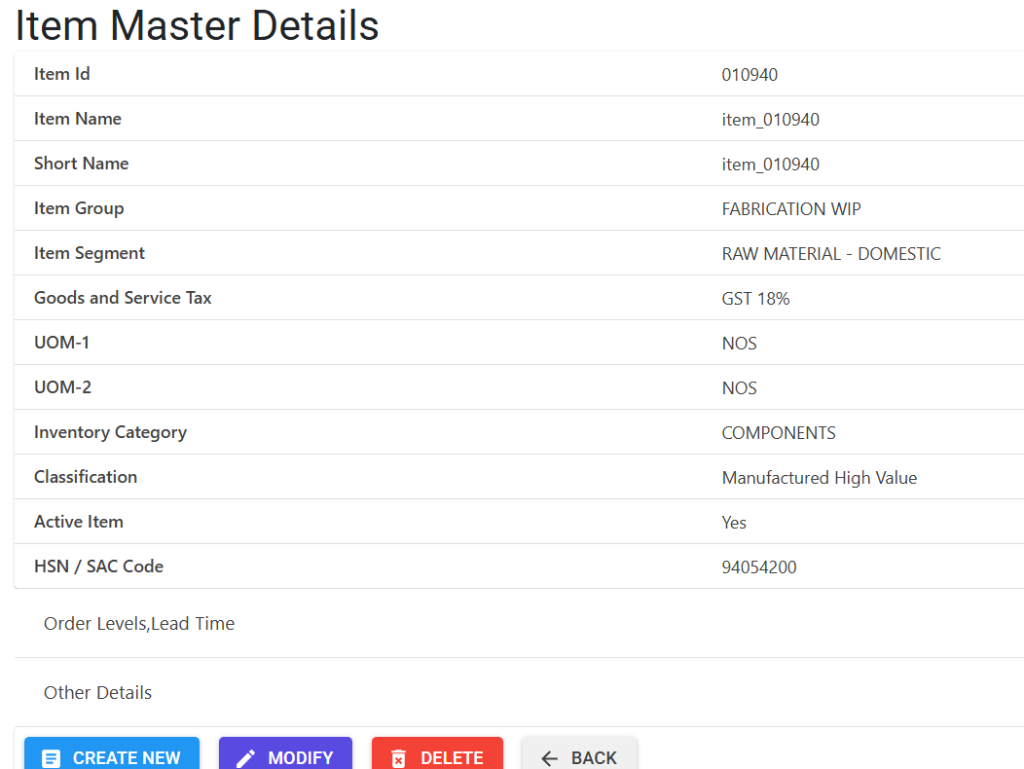
The Details view allows for granular control over the item’s lifecycle and logistics:
- Core Info: Manage Item Name, Short Name, and Group/Segment classifications.
- Statutory: Link the correct HSN / SAC Code and GST rate for tax compliance.
- Units: Define UOM-1 and UOM-2 for inventory and reporting.
- Control: Toggle the “Active” status and view order levels or lead times.
Other Features & Links
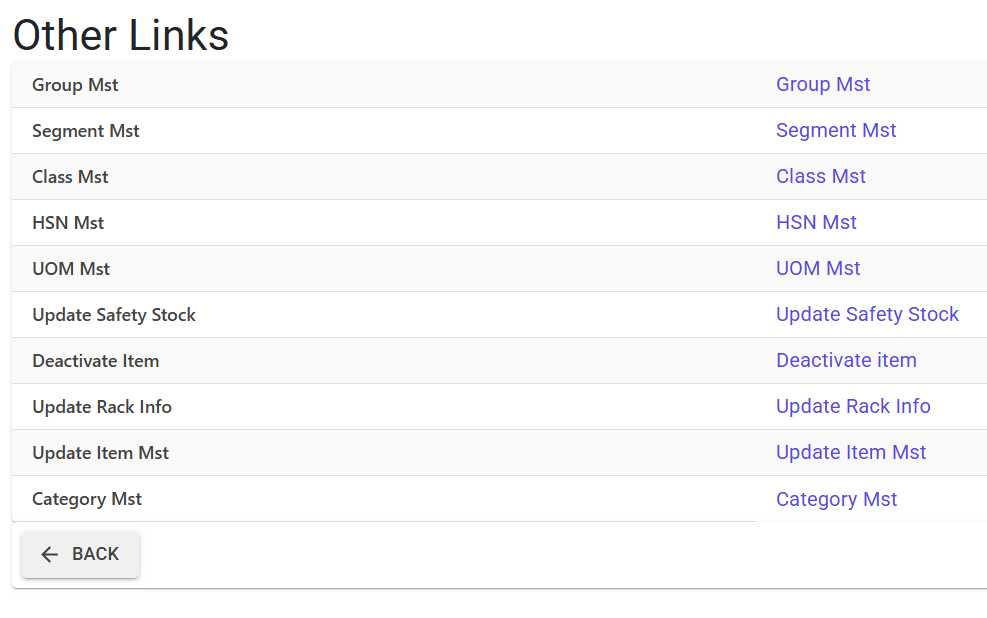
Clicking “Other Features” opens a portal to specialized configuration and bulk update tools:
- Configuration Masters: Direct links to Group, Segment, Class, and HSN Masters.
- Proactive Inventory: Tools to update Safety Stock, Rack Info, and Item Master in bulk.
- Lifecycle Management: Options to Deactivate items or update information across segments.
3. Structural Breakdown 🏗️
Each item is defined by a multi-layered classification system:
- Unique Identity:
ItemId(Auto-generated 6-digit code). - Classification Hierarchy:
- Group: High-level grouping (e.g., Metals, Electronics).
- Segment/Category: Internal classification for reporting.
- Class: Determines if the item is a core product, a freight item, or a service.
- UOM Management:
- Standard UOM: The base unit for stock valuation.
- Alternate UOM: Used for procurement or sales.
- Conversion Factor: The math used to convert Alt UOM to Std UOM.
- Statutory Data: Mandatory HSN/SAC Code and applicable GST Rate percentage.
4. Inventory & Logistics Controls ⚙️
The system uses these parameters to drive automated alerts and reports:
| Feature | Description |
|---|---|
| Re-Order Level (ROL) | When stock falls below this number, the system triggers replenishment alerts. |
| Safety Stock Qty | The “buffer” stock maintained to avoid stock-outs during lead-time variances. |
| Minimum Order Qty (EOQ) | The lowest quantity you typically order to maintain cost-efficiency. |
| Lead Time | The expected number of days (0-180) it takes to receive the item after ordering. |
| Rack Info | Specific physical storage location within the warehouse. |
5. Bulk Management & System Updates 📂
Given the volume of items, the module provides specialized bulk tools:
- Item Import (New): Create hundreds of items at once with a 16-factor audit (A-P codes) checking everything from GST rates to UOM validity.
- Specialized Bulk Updates:
- Safety Stock Update: Bulk edit buffer levels based on seasonal demand.
- Rack Info Update: Bulk move items between warehouse locations.
- Bulk Deactivation: Deactivate obsolete items and record a “Deactivation Note” for audit purposes.
6. Lifecycle & Data Integrity 🔒
🚫 Deletion Safety (Deep Audit)
The Item Master uses a “Full System Scan” before allowing a deletion. The system checks:
- Active BOMs (Bill of Materials).
- Pending Purchase/Sales Orders.
- Job Work or Production Plans.
- Stock Ledger (Transactions). If any record uses the Item ID, deletion is blocked. In such cases, the item should be marked “Inactive” instead.
✅ Release Status & Criticality
- Release Status: Determines if an item is ready for operational use (Sales/Purchase).
- Is Critical: Flags high-value or long-lead-time items for intensified tracking in inventory reports.
7. Integration Points 🔗
The Item Master is a prerequisite for:
- BOM Management: Items are the “ingredients” for your products.
- Quality Protocols: QC parameters are linked to specific Item IDs.
- Price Lists: Standard costs and selling prices are mapped per item.
8. Best Practices 💡
- Consistent Short Names: Use Short Names that follow a pattern (e.g.,
RM-MAT-01) for faster searching during transaction entry. - Accuracy of Conversion Factors: Ensure the conversion between Alt and Std UOM is exact, as this impacts financial valuation.
- Deactivation over Deletion: If an item has history, never try to delete it; simply deactivate it to preserve historical reports.