Party Master
Party Master - User Guide
1. Introduction 📝
The Party Master is the central repository for managing all external entities your business interacts with, primarily Customers, Suppliers, and Sundry parties. It acts as a bridge between operational modules (Sales/Purchase) and the Financial Accounting module.
Key Objectives of Party Master:
- Financial Linking: Link operational parties to specific Ledger Accounts (Control Accounts).
- Statutory Compliance: Manage PAN, GSTIN, MSME, and TDS details.
- Credit Control: Enforce Credit Limits and Credit Periods to manage financial risk.
- Logistics Management: Support multiple branches/delivery locations for a single party.
2. Getting Started with Party Master 🚀
Accessing the Module
To access the Party Master module, navigate to the Common Masters > Party section from the main menu.
The Index Page
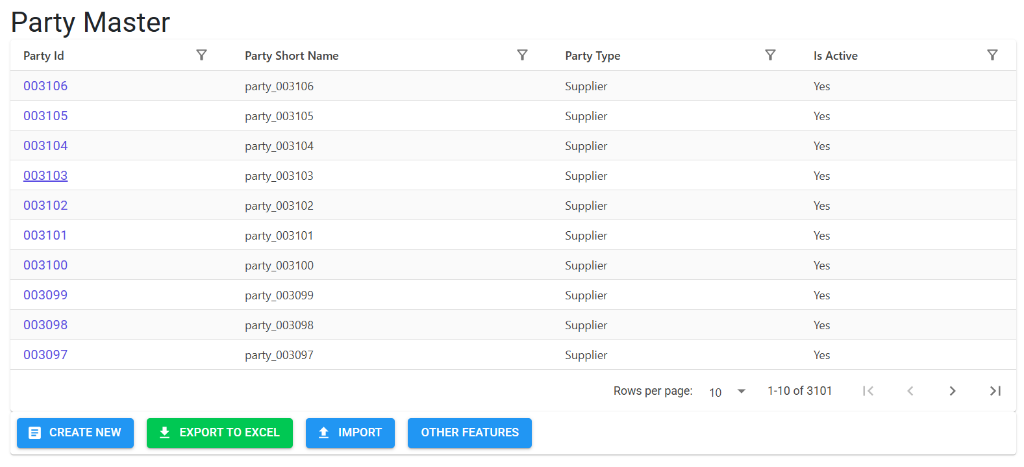
Upon opening, the Index Page displays a comprehensive list of all existing Parties. Here, you can:
- Search/Filter: Look for specific parties by Party ID, Short Name, or Party Type.
- Quick Navigation: Click on a Party ID to view its full details.
- Bulk Actions: Access buttons for Create New, Export to Excel, and Import functionality.
Party Details View
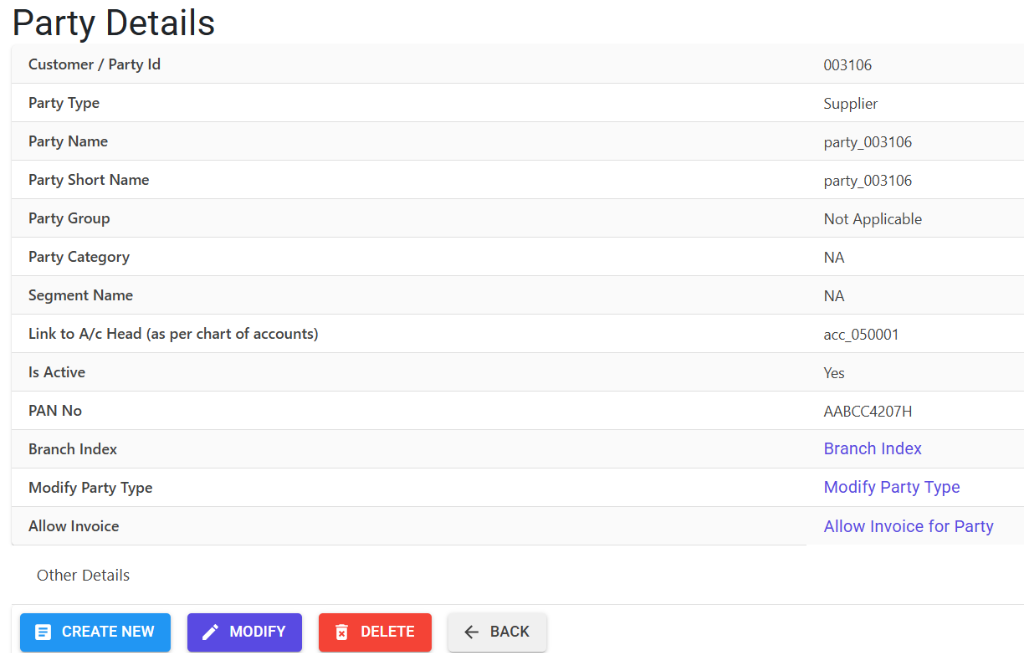
Selecting a party or clicking “Create New” opens the Party Details view. This section allows you to manage:
- Core Detail: Party Type, Name, Group, and Account Head linkage.
- Statutory Info: PAN No and related branch details.
- Operational Toggles: Adjust “Is Active” status or modify the party type.
Other Features & Links
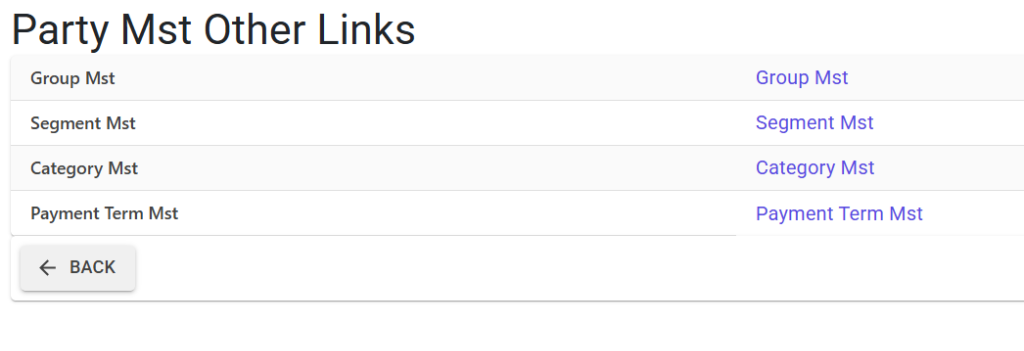
Clicking on “Other Features” provides access to a dedicated menu of linked configuration masters:
- Group/Segment/Category Master: For organizing parties into logical business buckets.
- Payment Term Master: To define standard credit and payment rules.
3. Structural Breakdown 🏗️
The Party Master follows a two-tier hierarchy to support complex business structures:
Tier 1: Main Party (Master Level)
Contains the core business identity and global terms.
- Unique Identity:
PartyId(Auto-generated). - Classification: Party Type (Customer/Supplier), Group, Category, and Segment.
- Financial Terms: Credit Limit, Credit Period, Payment Terms, and Cash Discount percentages.
- Statutory Identification: Centralized PAN number and MSME registration.
Tier 2: Branches/Locations (Unit Level)
Contains specific operational details for different sites.
- Address Management: Multiple delivery or billing addresses (Addline 1/2, City, State).
- GST Identification: Unique GSTIN for each branch (supporting multi-state parties).
- Statutory Codes: TCS codes and Plant codes specific to the location.
4. Business Validations & Rules 🛡️
To ensure data accuracy and financial safety, the system enforces several validations:
| Feature | Validation Rule |
|---|---|
| Control Account | The linked Ledger Account must match the Party Type. For example, a “Supplier” must be linked to a Ledger categorized as a Supplier/Sundry Creditor. |
| PAN Format | Validates against the standard 10-character Indian PAN format (ABCDE1234Z). |
| GSTIN Integrity | The first two digits of the GSTIN must match the selected State Code. |
| Duplicate Check | The system prevents saving duplicate PAN or GSTIN numbers across different parties (configurable). |
| Credit Setup | Credit Limit (Amount) and Credit Period (Days) must be within defined ranges (0-999 days / 0-99,999,999 amount). |
5. Bulk Management (Import/Export) 📂
Managing hundreds of parties manually is inefficient. The module provides robust tools for bulk operations:
- Export to Excel: Download the entire Party and Branch list for auditing or reporting.
- Download Model: Get a standardized Excel template with built-in instructions.
- Universal Import: Upload the completed template. The system performs a Multi-Point Audit (Error Codes A-Z) to validate every field (Group Codes, Account Codes, States, etc.) before committing to the database.
6. Lifecycle & Data Integrity 🔒
Data integrity is mission-critical for the Party Master, as it directly impacts Financial Ledgers.
📜 Modification & Audit Trails
- Audit Notes: If the system’s Audit Trail is enabled, users must provide a reason (“Audit Trail Notes”) for any modification to an existing party.
- Change Detection: The system automatically logs exactly which fields were changed (e.g., changing a Credit Limit from 50k to 100k).
🚫 Deletion Safety Protocols
Deletions are strictly controlled to prevent “orphaned” financial entries:
- Direct Usage Check: The system scans Vouchers, JVs, and Opening Balances for any entries linked to the
Control Account + Party ID. - Reason Required: A mandatory “Delete Reason” must be provided for every deletion, which is then logged in the system’s Audit Trail.
- Hierarchical Block: You cannot delete a Main Party if it has active Branches. You must delete branches first (if they have no usage).
7. Integration & Reports 📊
The Party Master is a primary filter and data provider for:
- Sales/Purchase Analysis: Reports sorted by Party Segment, Category, or Group.
- Outstanding Reports: Debtors and Creditors aging are driven by the Credit Period defined here.
- Statutory Reports: GST-1, GST-3B, and TDS/TCS filings rely on the PAN and GSTIN data stored in the Party Master.
- RTGS/NEFT Management: Bank account details (managed via RTGS Master) are linked to these Party IDs.
8. Best Practices 💡
- Consistent Short Names: Use Short Names (Aliases) for quick searching in transaction screens.
- Regular Address Audits: Ensure GSTINs are updated for branches annually, especially if a party migrates from “Unregistered” to “Registered”.
- State Accuracy: Double-check the State Code before entering GSTIN to avoid validation errors during invoice generation.