Invoice Digital Signature Walkthrough
Generate legally compliant, tamper-proof digitally signed sales invoices in ERP Crystal with zero physical paperwork!
⚡ Why Switch? (Manual vs. Digital)
| Feature | ❌ Old Manual Way | ✅ ERP Crystal Digital Flow |
|---|---|---|
| Workflow | Print ➔ Find Stamp ➔ Physical Sign ➔ Scan / Courier | 1-Click: Just click Print Invoice or Email |
| Time Spent | 5 – 10 minutes per invoice | Instant (< 2 seconds) |
| Effort & Paper | Paper, toner, manual stamping & postal delays | 100% Paperless; print only if needed for transport |
| Security & Law | Risk of ink smudge, forgery, or damage | Tamper-proof SHA-256 seal (IT Act & GST Rule 46 compliant) |
🌐 Where to Get Your Certificate & Costing
To sign invoices, you need a Class 3 “Signing Only” certificate (Organization or Authorized Signatory). You can purchase one online with quick paperless Aadhaar/PAN eKYC:
| Provider | Direct Buy Link | Approx. Cost (1 – 2 Years) |
|---|---|---|
| VSign | vsign.in | ₹750 – ₹825 |
| Capricorn CA | certificate.digital | ₹1,200 – ₹1,500 |
| eMudhra | emudhra.com / Buy DSC | ₹1,350 – ₹1,500 |
| Pantasign | pantasign.com | ₹800 – ₹1,200 |
| Official Directory | CCA Licensed CAs | Govt. list of all licensed CAs |
Tip
- Certificate Type: Choose “Signing Only” (Combo / Encryption is not needed for invoice signing).
- USB Token: Costs ~₹500 (one-time) if you do not already own a crypto token.
- ROI: Eliminating manual paper, toner, and courier costs (~₹15/invoice) recovers the DSC cost in the first month!
🤝 What is Needed
- From Your Side: Exported
.pfx/.p12file (Class 3 DSC with private key) and its password. - From Our Side: We enable the
EnableDigitalSignatureparameter for your database.
🚀 3-Step Walkthrough
Step 1: One-Time Certificate Upload
- Navigate to System Tools > Common Masters > Company Master.
- Click Digital Signature Configuration.
- Select your
.pfxfile, enter its password, and click Upload & Activate.
Step 2: Generate Signed Invoices
- Open any invoice in Sales > Transactions > Sales Invoice.
- Click Other Operations > Print Invoice (or send via email).
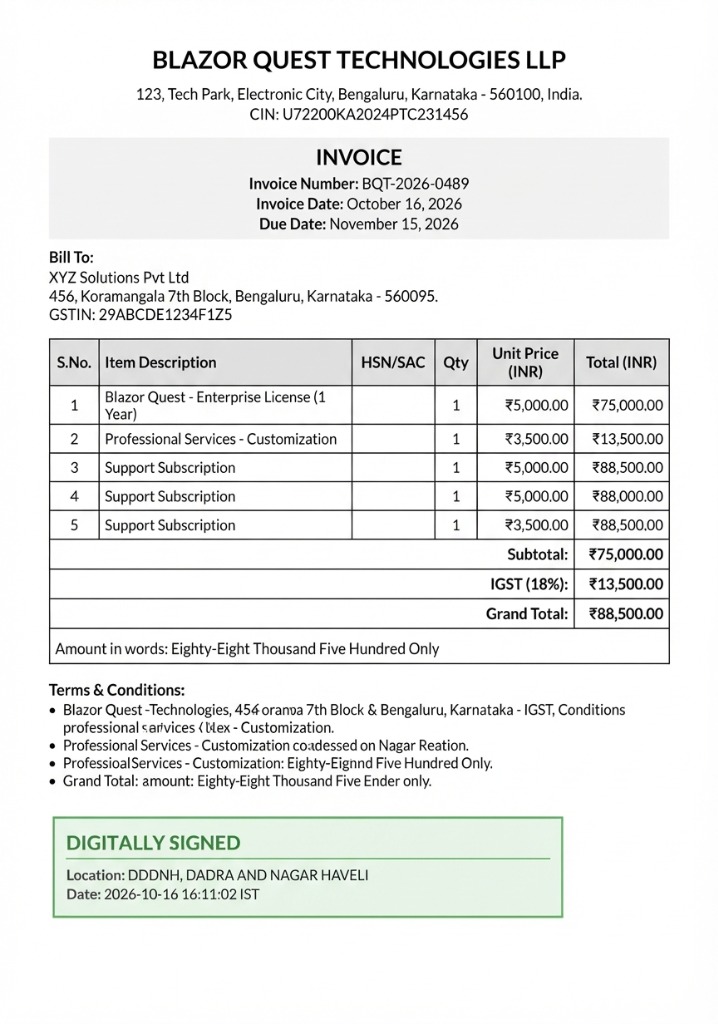
- The system automatically signs and stamps the PDF in seconds!
Step 3: Verification
Open the PDF to view the green-bordered “DIGITALLY SIGNED” box. In Adobe Acrobat Reader, the signature bar will display: “Signed and all signatures are valid”.
💡 Quick Tips
- Exporting
.pfx: Opencertmgr.mscor your token manager, right-click your certificate > All Tasks > Export, and ensure you choose “Yes, export the private key”. - Go Paperless: Email signed PDFs directly to buyers from ERP Crystal to eliminate couriers entirely.